Settings
Settings holds the organization-level configuration of AI Runtime: the gateway key and base URL, the identity provider your MCP routes can use, which MCP servers can be connected, and what each member can do.
Open AI runtime → Settings.
Gateway Key
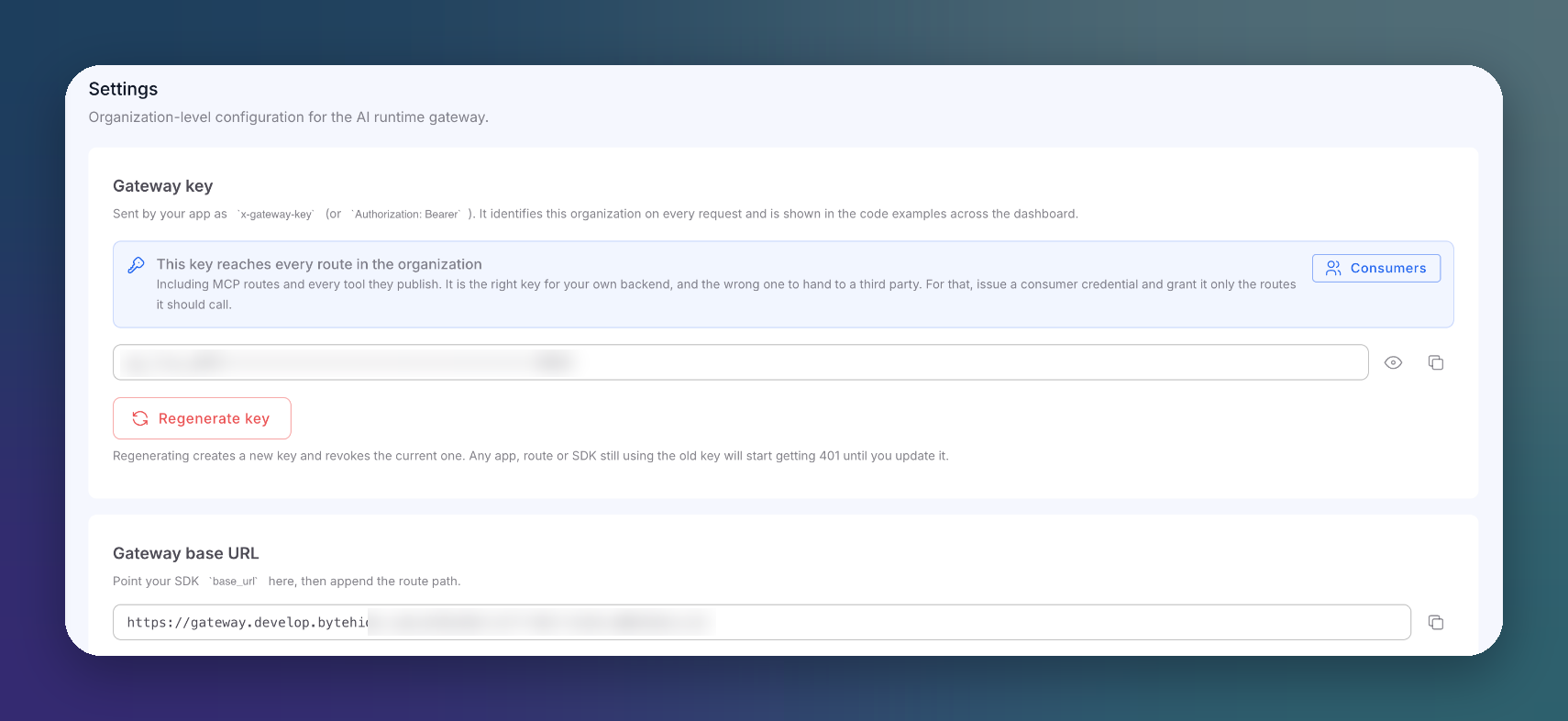 Click to expand
The gateway key identifies your organization on every request. Applications send it as x-gateway-key or Authorization: Bearer, and the console uses it in its code examples. It is created automatically.
Reveal it with the eye icon, or copy it.
This key reaches every route
The gateway key reaches every route in the organization, including MCP routes and every tool they publish. Use it for your own backend only. For a third party, issue a consumer credential granted only the routes it needs.
Regenerate Key
Regenerate key creates a new key and revokes the current one. Any application, route or SDK still using the old key starts getting 401 until you update it. A confirmation dialog stands in the way. Do not regenerate it as a routine fix.
Gateway Base URL
The URL to point your SDK base_url at; append the route path. See Gateway Mode.
Identity Provider for MCP Routes
Let MCP clients authenticate with your own Okta, Entra ID or Auth0 instead of a token pasted into their configuration. Your MFA and conditional access then govern those endpoints, and every incidence names the person rather than the application.
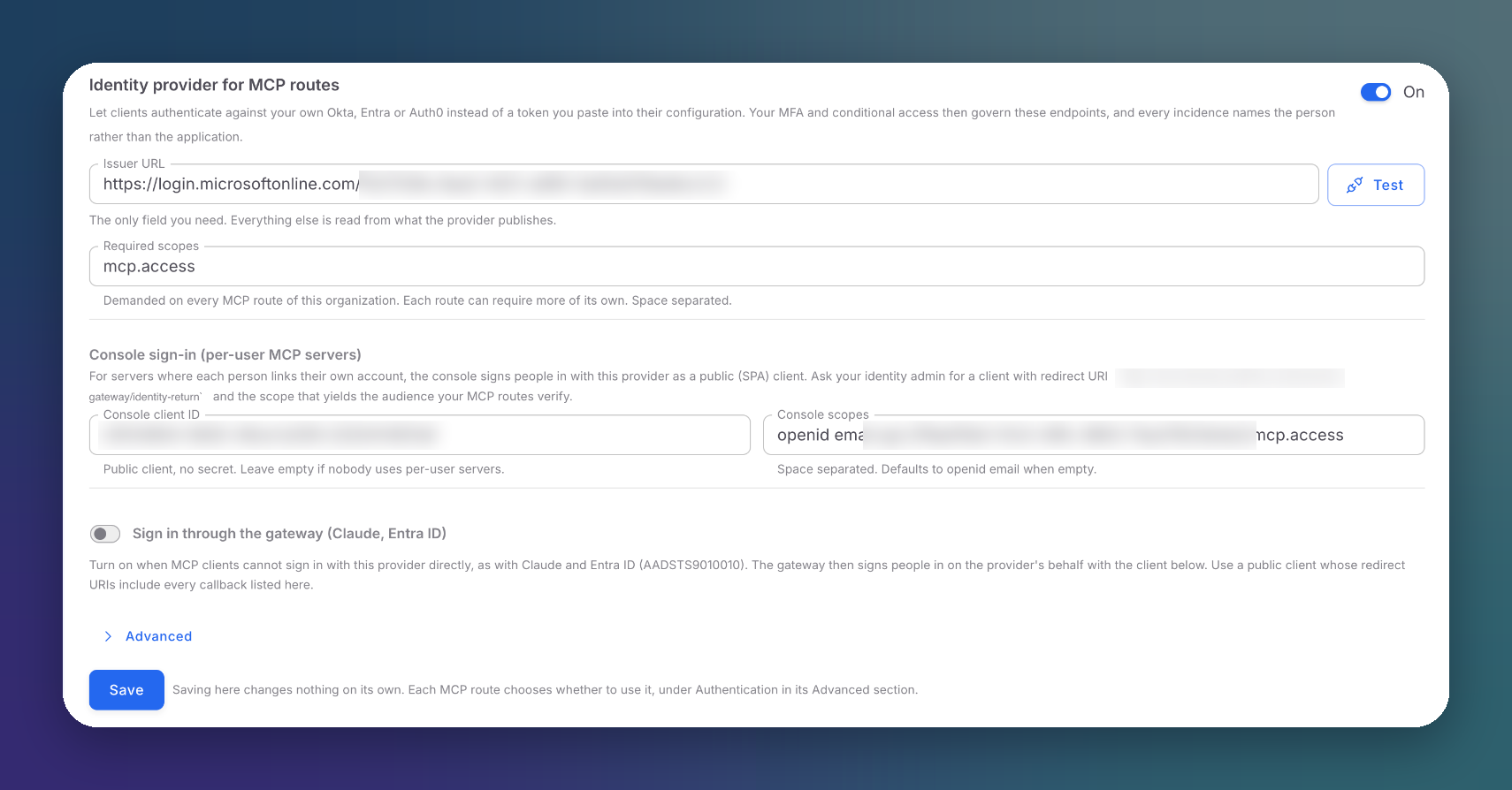 Click to expand
| Setting | Description |
|---|---|
| On / off | Enables the identity provider for the organization |
| Issuer URL | Your provider's issuer. The only required field. Test checks it before you save |
| Required scopes | Scopes demanded on every MCP route. Each route can require more |
| Console client ID / Console scopes | A public (SPA) client the console uses to sign people in on Connections. Ask your identity admin for a client with the console's identity-return URL as redirect URI. Leave empty if nobody uses per-user servers |
| Sign in through the gateway | For MCP clients that cannot sign in with your provider directly, as with Claude and Entra ID. The gateway signs people in on the provider's behalf with a public client whose redirect URIs include the callbacks listed |
| Advanced | Further options for providers that need them |
Saving here changes nothing on its own: each MCP route opts in under Authentication. See MCP Authentication.
Approved MCP Servers
While this is on, an MCP server can only be connected if its host is on the list. A host is an exact name or a *.vendor.com subdomain wildcard. While it is off, any host is allowed, and the only limit is the gateway's own perimeter, which always refuses internal addresses.
The list is checked when a server is connected or its URL changes, and against every authorization URL the gateway follows. Servers already connected are not disconnected when you change it.
Member Permissions
Choose what each member can view, create, edit or delete in AI Runtime. By default, owners and managers can do everything and members can only view. Owners always have full access.
Next Steps
Consumers & Authentication
Scoped credentials for third parties
MCP Authentication
Use the identity provider on your MCP routes