MCP Protection
An MCP route turns the gateway into an MCP server in front of the tools your agents use. Clients connect to one ByteHide URL, see only the tools you grant, and every call and result passes through a policy before it reaches the tool or comes back to the agent.
Looking for the ByteHide MCP server?
This section is about protecting your MCP servers and the ones your agents call. To connect your coding agent to ByteHide's own security tools (Code scans, dependency checks), see MCP Integration.
How MCP Protection Works
- You connect the MCP servers your agents need, and import their tools into the Tools inventory. You can also publish tools backed by your own endpoints.
- You create an MCP route and pick which tools it publishes, optionally under a different name (an alias).
- You attach an Agent-to-Tool policy to the route.
- MCP clients connect to the route URL with a credential. The gateway answers
tools/listwith only the granted tools, and inspects everytools/call, its arguments and its result. - Every request is recorded in Incidences.
The upstream server never sees the client's credential, and the client never sees the upstream's. The gateway authenticates on each side separately.
What It Protects Against
The policy on an MCP route uses the Agent-to-Tool detectors:
| Threat | Detector |
|---|---|
| Instructions hidden in tool definitions (tool poisoning) | Tool Guard |
| Calls to tools the client should not reach | Route tool grants, Tool Permission |
| Malformed or out-of-schema tool calls | Tool Selection |
| Prompt injection in tool arguments | Prompt Guard |
| Injection hidden in tool results (second-order injection) | Tool Result Guard |
| Secrets and PII leaving through tool arguments | Secrets Detection, PII |
| SQL, shell, file path, network (SSRF) and infrastructure abuse | SQL, Shell, Path, Network and Infrastructure Guardians |
| Runaway tool loops | Tool Budget / Loop |
An MCP route without a policy is unprotected
Without a policy, the route still restricts which tools are published, but tool arguments and results travel exactly as they came, uninspected.
Create an MCP Route
- Open Routes and click Create Route.
- Enter a Route name and select the MCP type. The route URL is derived from the name.
- Under Published tools, check the tools this route serves. Filter by server with the chips above the list. Optionally set a Published as alias for each tool.
- Under Security, select an Agent-to-Tool policy.
- Under Advanced, choose the Authentication for callers, and the timeout and rate limits.
- Under Privacy, choose whether tool arguments and results are stored in incidences.
- Click Create Route.
The alias belongs to the route, not to the tool. If the upstream renames its tool, the alias you published does not move, and no MCP client has to be reconfigured.
Renaming the route changes its URL
The URL of an MCP route is derived from its name. Renaming the route changes the URL, and connected clients stop working until they are updated.
Connect an MCP Client
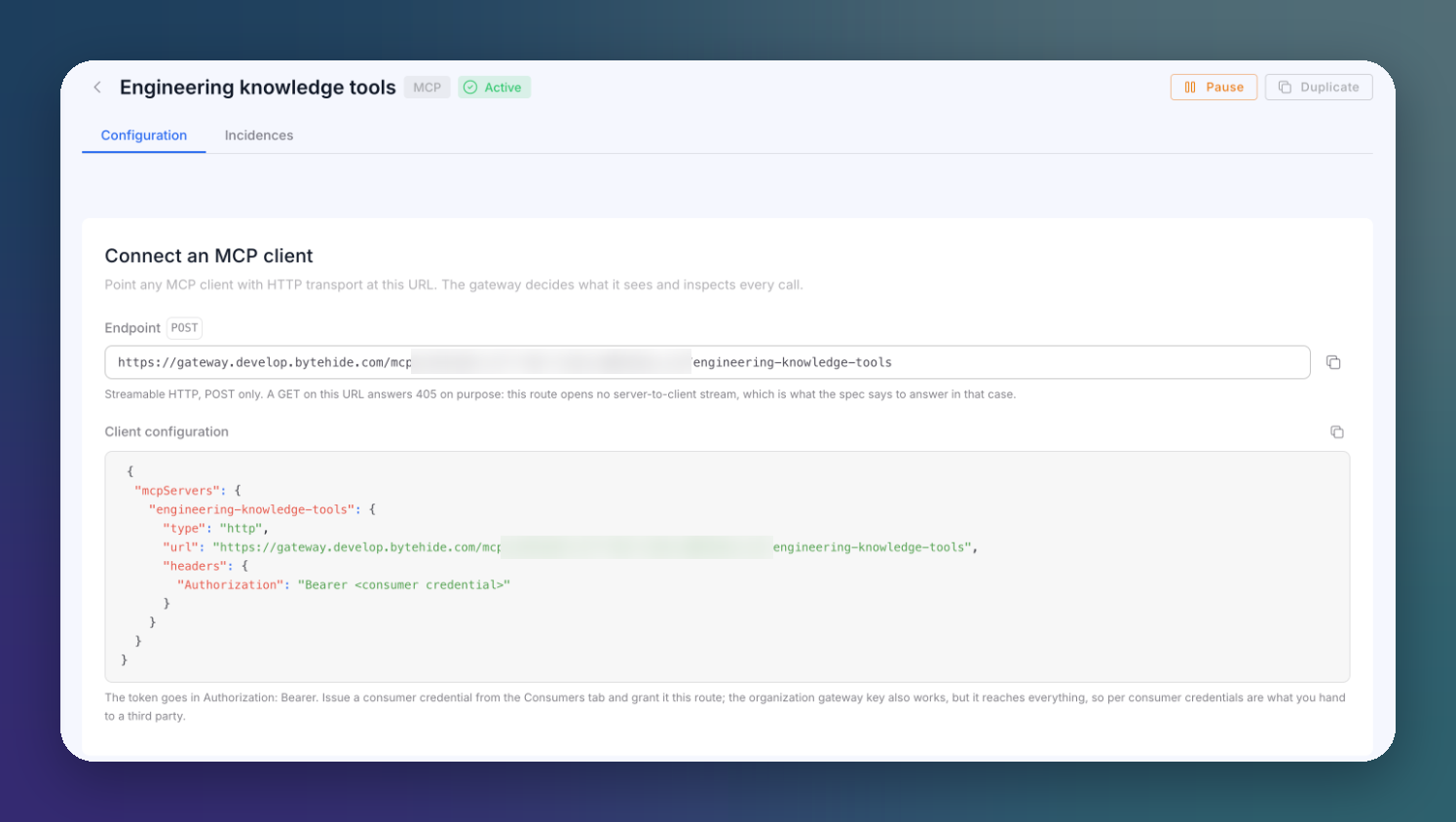
The route detail shows everything a client needs:
 Click to expand
The endpoint has this shape:
https://gateway.bytehide.com/mcp/YOUR_ORG_ID/YOUR_ROUTEhttps://gateway.bytehide.com/mcp/YOUR_ORG_ID/YOUR_ROUTEPaste the client configuration into any MCP client with HTTP transport:
{
  "mcpServers": {
    "engineering-knowledge-tools": {
      "type": "http",
      "url": "https://gateway.bytehide.com/mcp/YOUR_ORG_ID/engineering-knowledge-tools",
      "headers": {
        "Authorization": "Bearer gwc_live_YOUR_TOKEN"
      }
    }
  }
}
{
"mcpServers": {
"engineering-knowledge-tools": {
"type": "http",
"url": "https://gateway.bytehide.com/mcp/YOUR_ORG_ID/engineering-knowledge-tools",
"headers": {
"Authorization": "Bearer gwc_live_YOUR_TOKEN"
}
}
}
}Or test it with curl, starting with tools/list, the first call any MCP client makes:
curl -X POST https://gateway.bytehide.com/mcp/YOUR_ORG_ID/engineering-knowledge-tools \
  -H "Content-Type: application/json" \
  -H "Accept: application/json, text/event-stream" \
  -H "Authorization: Bearer gwc_live_YOUR_TOKEN" \
  -d '{"jsonrpc": "2.0", "id": 1, "method": "tools/list"}'
curl -X POST https://gateway.bytehide.com/mcp/YOUR_ORG_ID/engineering-knowledge-tools \
-H "Content-Type: application/json" \
-H "Accept: application/json, text/event-stream" \
-H "Authorization: Bearer gwc_live_YOUR_TOKEN" \
-d '{"jsonrpc": "2.0", "id": 1, "method": "tools/list"}'The route speaks Streamable HTTP, POST only. A GET on the URL answers 405 on purpose: the route opens no server-to-client stream, which is what the MCP specification says to answer in that case.
Who Can Call the Route
The route detail lists the consumer credentials granted to it. Hand each third party its own consumer credential, granted only this route. The organization gateway key also reaches the route, but it reaches everything, so keep it for your own backend.
To authenticate callers with your own identity provider instead (Okta, Entra ID, Auth0), see MCP Authentication.
When a Call Is Blocked
A blocked tools/call still answers in MCP's own shape, so the client does not crash. The result text explains it, for example Blocked by ByteHide AI Gateway (prompt_injection). A call to a tool the route does not publish answers with a JSON-RPC error: unknown tool.
Next Steps
Connect an MCP Server
Register an upstream server and import its tools
MCP Authentication
Authenticate callers and reach upstreams as the right identity
MCP Incidences
Investigate tool calls