Policies
A policy is a reusable set of detectors. You attach one policy to each route, and every request on that route is inspected by the detectors the policy enables. One policy can protect many routes.
Policies List
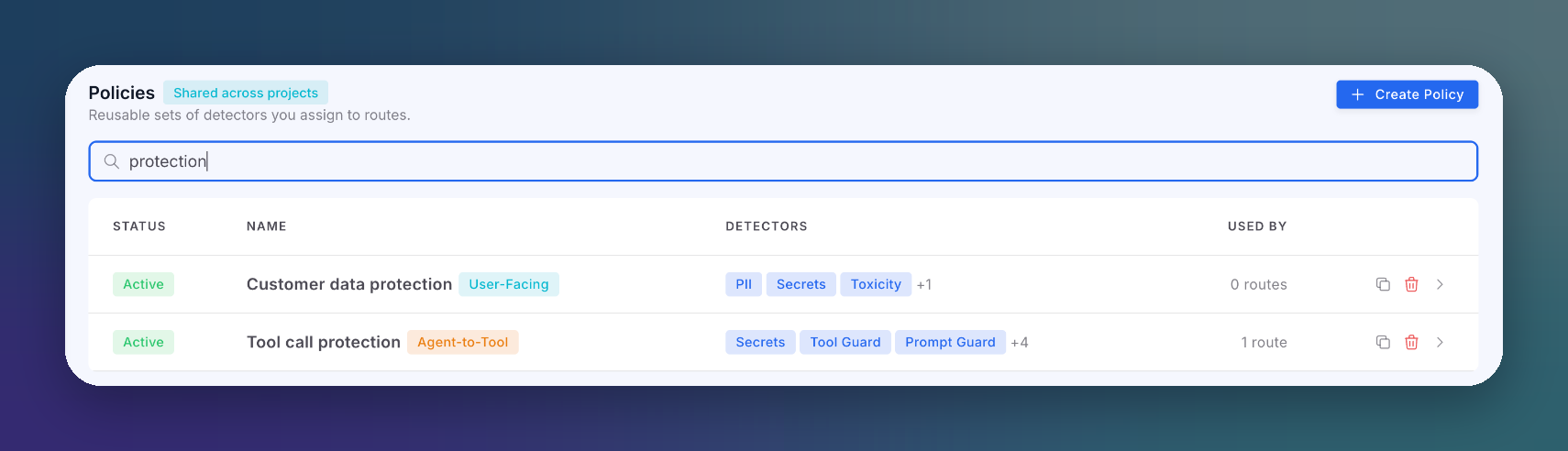
Open AI runtime → Policies to see every policy in the organization.
 Click to expand
| Column | Description |
|---|---|
| Status | Whether the policy is active |
| Name | Policy name and its type: User-Facing or Agent-to-Tool |
| Detectors | The first enabled detectors, with a +N count for the rest |
| Used by | How many routes use this policy |
Each row can be duplicated or deleted. When you delete a policy that routes are using, a dialog lists those routes and lets you reassign them to another policy or leave them with no policy.
No policy means no protection
The gateway starts from an all-off configuration. A route left without a policy forwards traffic uninspected and shows as Unprotected in the Routes list.
Create a Policy
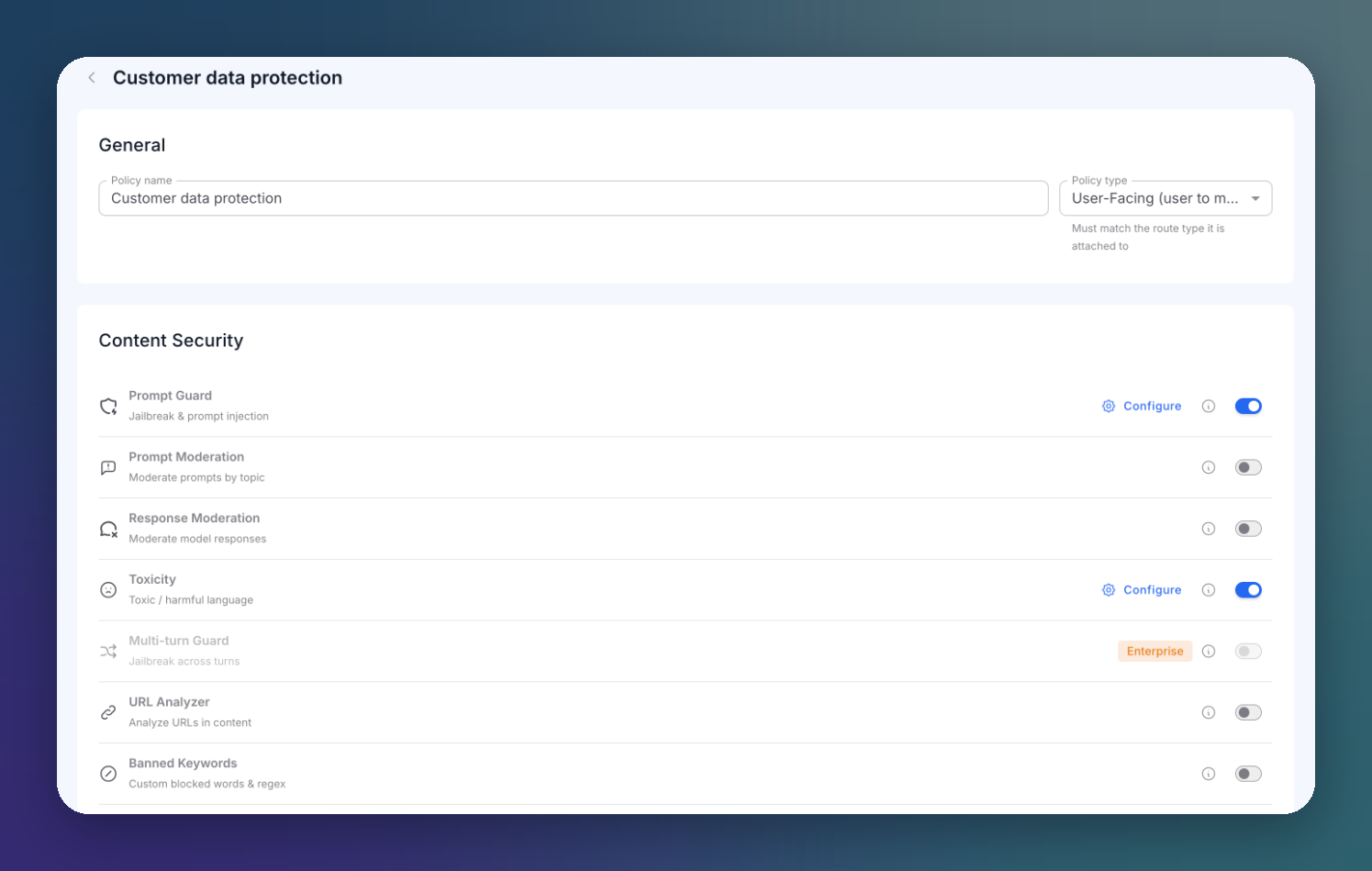
Click Create Policy.
 Click to expand
- Enter a Policy name. Nothing is saved until the policy has a name.
- Choose the Policy type. It must match the type of the route it will be attached to:
- User-Facing (user to model): end users talk to a model through your application.
- Agent-to-Tool (agent to tools or MCP): an agent calls tools, directly or through an MCP route.
- Turn detectors on with their switch, and click Configure to tune each one.
Changes save automatically a moment after you make them. There is no Save button.
Detectors marked Enterprise are only available on Enterprise plans. Detectors that do not apply to the selected type are not shown at all: an agent detector never appears on a User-Facing policy. On Agent-to-Tool policies, a No effect on MCP chip marks detectors that do not act on MCP traffic.
Detector Catalog
Content Security
| Detector | What it does | Policy types |
|---|---|---|
| Prompt Guard | Detects jailbreak and prompt injection attempts, direct and indirect (RAG content, retrieved documents) | Both |
| Prompt Moderation | Moderates prompts by topic | User-Facing |
| Response Moderation | Moderates model responses | Both |
| Toxicity | Detects toxic and harmful language | User-Facing |
| Multi-turn Guard | Detects jailbreaks built across several turns | User-Facing (Enterprise) |
| URL Analyzer | Analyzes URLs in content | Both |
| Banned Keywords | Blocks custom words and regular expressions | Both |
| Code Output Security | Scans generated code for vulnerabilities and risky dependencies | Both (Enterprise) |
| Code Response Control | Allows, blocks or moderates replies that contain code | User-Facing |
Data Loss Prevention
| Detector | What it does |
|---|---|
| PII | Detects and masks personal data: emails, names, phone numbers, cards, IBANs, national IDs |
| Secrets Detection | Detects API keys, tokens and high-entropy secrets |
| Honeytokens | Detects planted canary values leaking out |
| Document Analyzer | Scans uploaded documents (no effect on MCP) |
| Header Policy | Controls which request headers reach the provider |
Agent Security
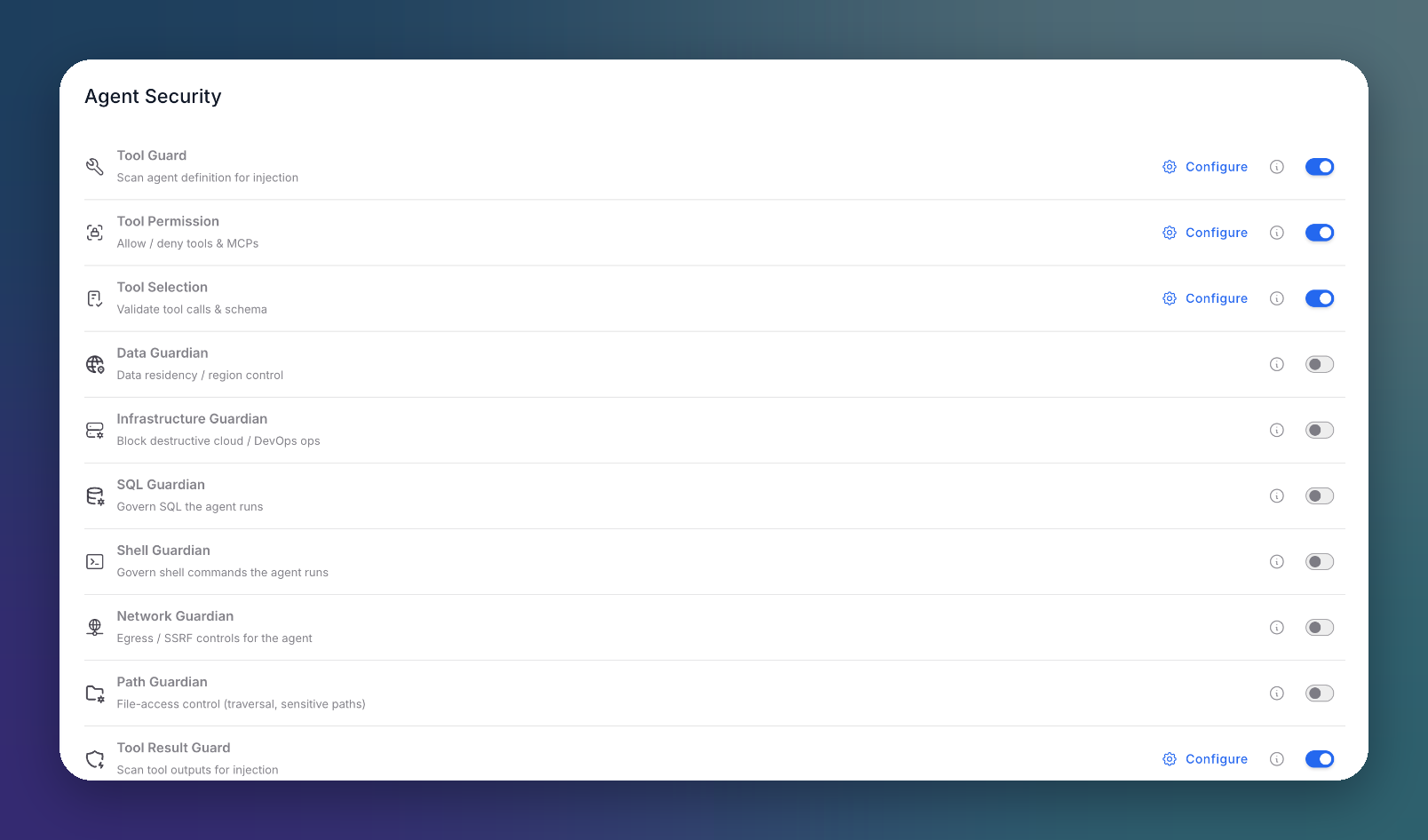
Agent-to-Tool policies only.
 Click to expand
| Detector | What it does |
|---|---|
| Tool Guard | Scans agent and tool definitions for injected instructions (tool poisoning) |
| Tool Permission | Allows or denies tools and MCP servers. The model never sees tools that are not approved |
| Tool Selection | Validates the tool calls the model emits against the tool schema |
| Data Guardian | Data residency and region control |
| Infrastructure Guardian | Blocks destructive cloud and DevOps operations |
| SQL Guardian | Governs the SQL the agent runs |
| Shell Guardian | Governs the shell commands the agent runs |
| Network Guardian | Egress and SSRF controls for the agent |
| Path Guardian | File access control: path traversal and sensitive paths |
| Tool Result Guard | Scans tool outputs for injection before they reach the model again |
| Tool Budget / Loop | Caps the number of tool calls per conversation |
When you switch a new policy to Agent-to-Tool, a starting template enables Secrets Detection, Tool Guard, Tool Permission, Tool Selection and Payload Injection.
Application Security
| Detector | What it does |
|---|---|
| Allowed Models | Restricts which models a route can use |
| IP Allowlist | Allows only listed IPs or CIDR ranges |
| Payload Injection (SQLi/XSS) | Detects injection patterns in the payload |
Behavioral Analytics
| Detector | What it does |
|---|---|
| Anomaly Detection | Flags unusual interaction patterns (Enterprise) |
| Session Risk Scoring | Scores risk per session and user |
Request Validation
| Detector | What it does |
|---|---|
| Request Size Limiting | Limits body, header, URL and character sizes |
| Rate Limiting | Limits request rates per IP, per user or globally |
| Token Rate Limiting | Limits token usage per time window (no effect on MCP) |
External Integrations
Enterprise plans can add provider moderation services as detectors: AWS Bedrock Guardrails, Azure AI Content Safety, OpenAI Moderation, Google Model Armor and Mistral Moderation.
Configuring Detectors
Most detectors share the same controls in their Configure drawer.
Mode
| Mode | Behavior |
|---|---|
| Enforce | The detector acts: it blocks or masks according to its configuration |
| Observe | The detector only reports. Requests pass unchanged and the detection is recorded in Incidences |
Use Observe to measure a detector on real traffic before you enforce it.
Prompt Guard
 Click to expand
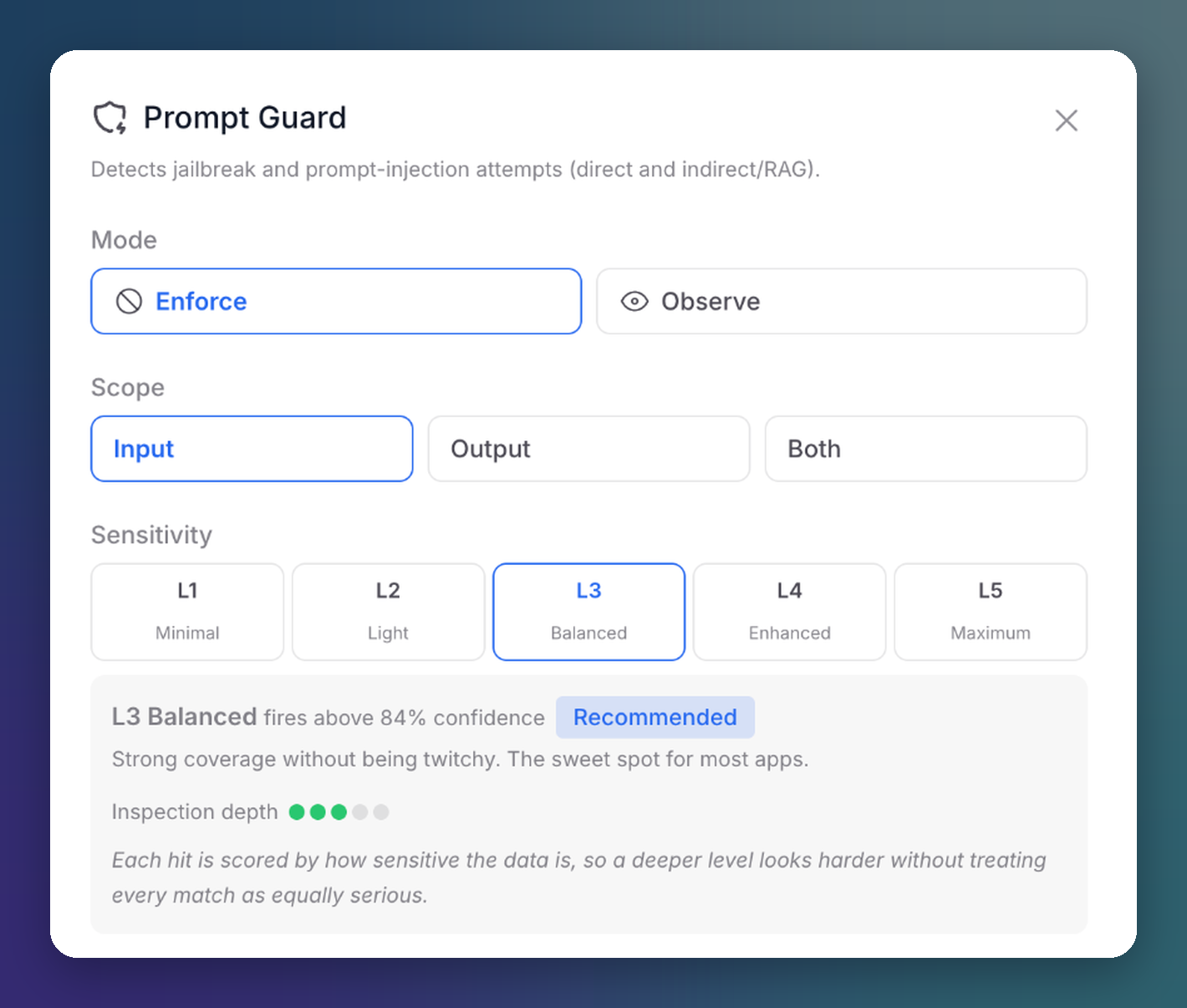
| Setting | Options |
|---|---|
| Mode | Enforce or Observe |
| Scope | Input, Output or Both |
| Sensitivity | L1 Minimal, L2 Light, L3 Balanced (recommended), L4 Enhanced, L5 Maximum. Each level sets the confidence threshold and inspection depth; the drawer shows both for the selected level (L3 fires above 84% confidence). |
PII
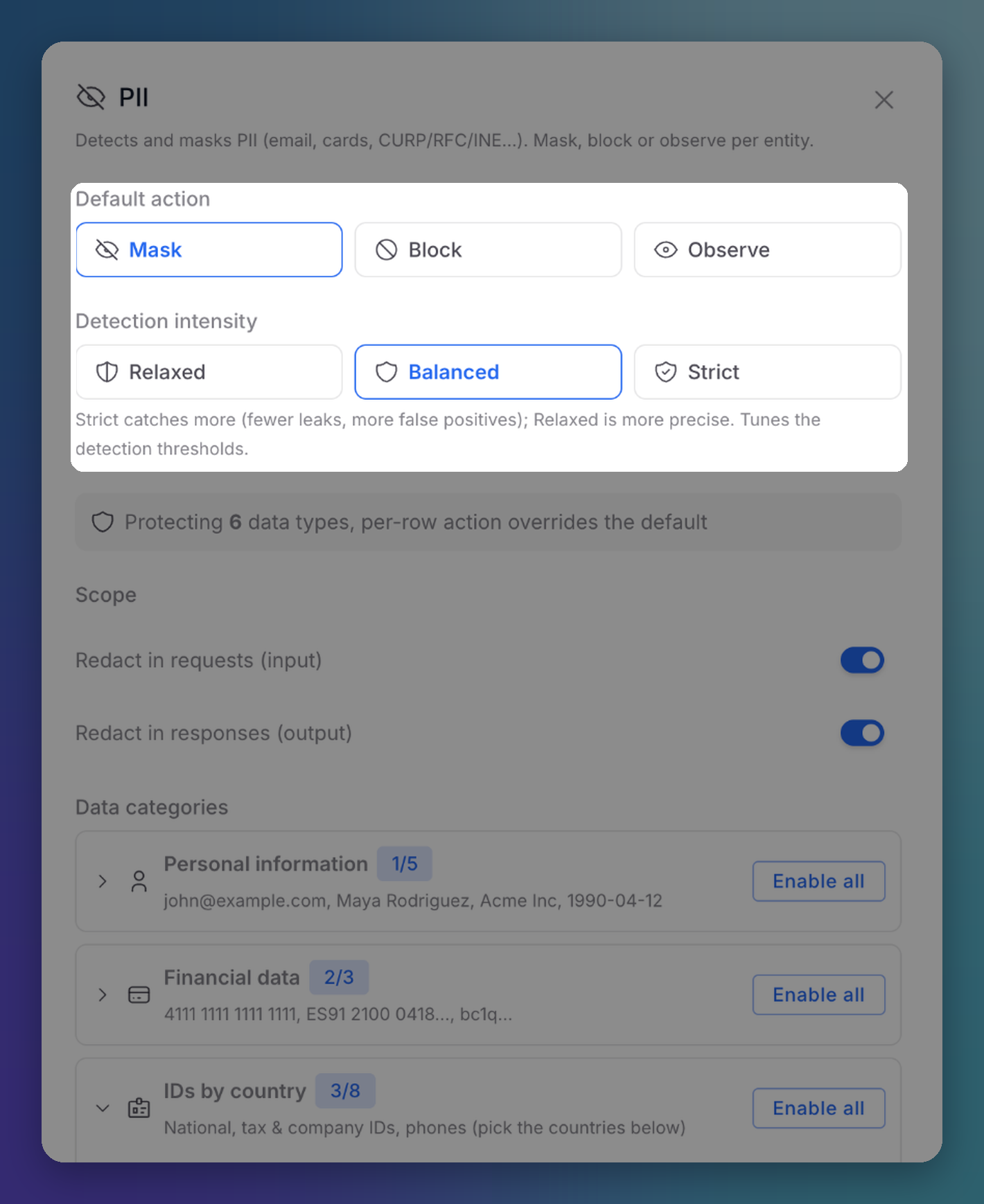 Click to expand
| Setting | Options |
|---|---|
| Default action | Mask redacts the value, Block rejects the request, Observe records it and lets the text through |
| Detection intensity | Relaxed (more precise), Balanced, Strict (catches more, more false positives) |
| Scope | Redact in requests (input), redact in responses (output) |
| Data categories | Personal information, Financial data and IDs by country. Each data type can override the default action. |
For IDs by country, add the countries whose national, tax and company identifiers you need to protect. Some identifiers support Verified detection, which validates the checksum instead of matching the pattern only.
Tool Permission
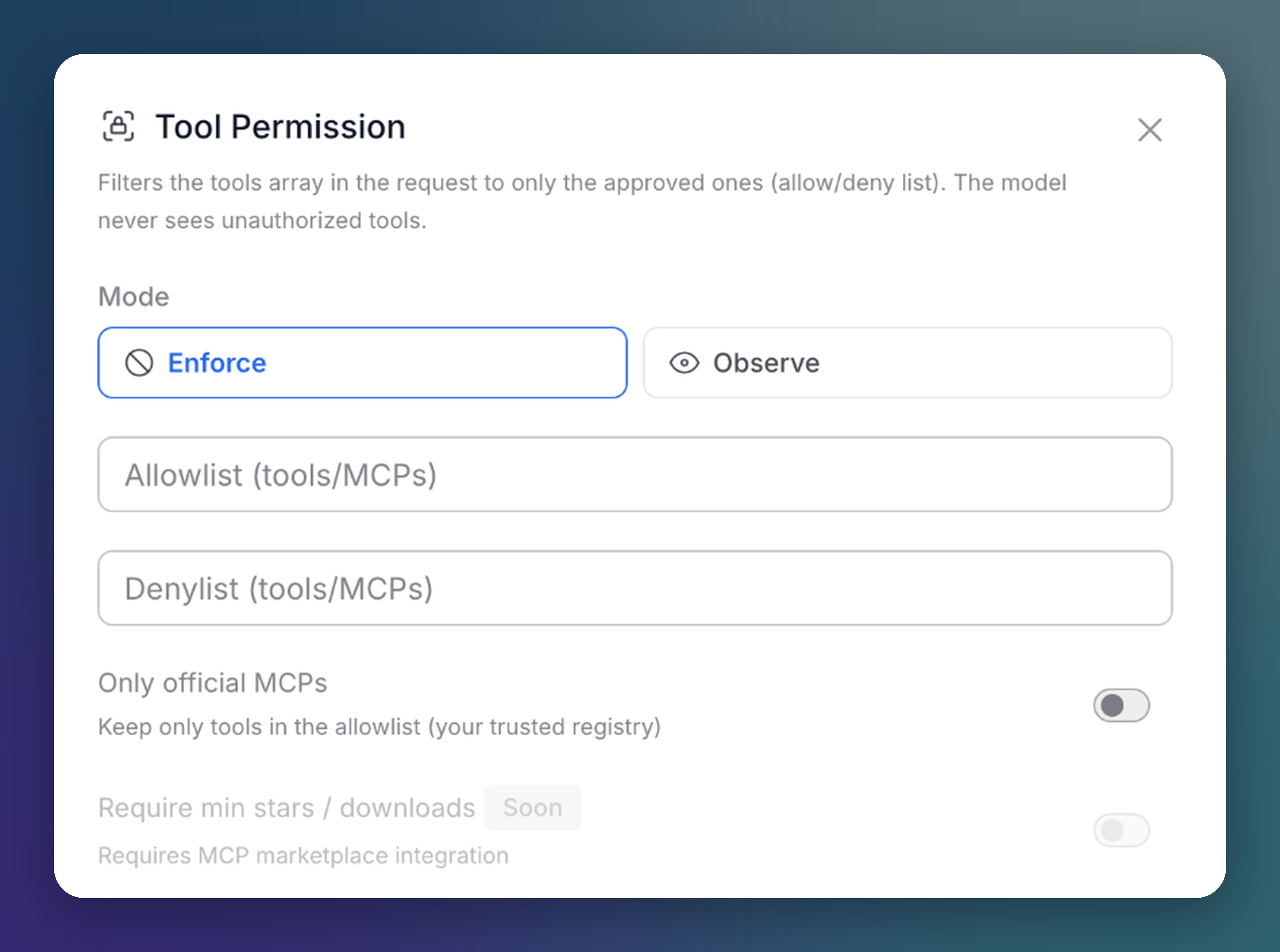 Click to expand
| Setting | Description |
|---|---|
| Mode | Enforce or Observe |
| Allowlist (tools/MCPs) | Only these tools are passed to the model |
| Denylist (tools/MCPs) | These tools are always removed. Deny wins over allow |
| Only official MCPs | Keep only the tools in the allowlist, your trusted registry |
Next Steps
Routes
Attach the policy to a route
Incidences
See what each detector caught