MCP Authentication
MCP protection authenticates two separate legs. Callers prove who they are to the gateway, and the gateway proves who it is to the upstream MCP server. The two never share a credential.
MCP client ──(caller authentication)──► ByteHide route ──(upstream authentication)──► MCP serverMCP client ──(caller authentication)──► ByteHide route ──(upstream authentication)──► MCP serverCaller Authentication
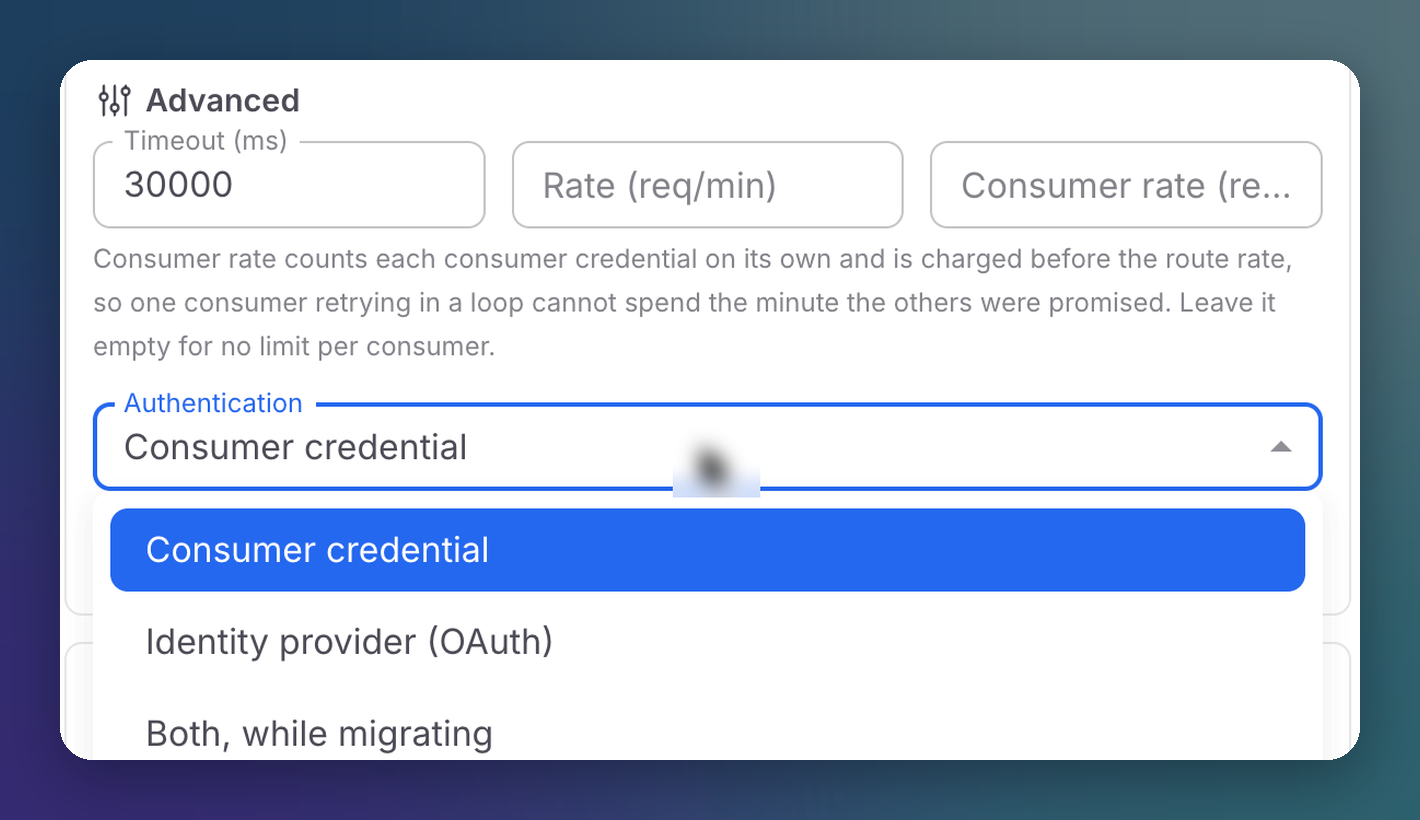
Each MCP route chooses how callers authenticate, under Advanced → Authentication:
 Click to expand
| Option | Callers present | Audit trail names |
|---|---|---|
| Consumer credential | A consumer credential (or the organization gateway key) as Authorization: Bearer | The application holding the credential |
| Identity provider (OAuth) | A token from your own identity provider (Okta, Entra ID, Auth0...) | The person |
| Both, while migrating | Either one | Either |
Consumer credential is the default and the quickest to set up.
With Identity provider (OAuth), your MFA and conditional access policies govern who reaches the route. The gateway acts as an OAuth 2.1 resource server: it issues no tokens and holds no user credentials. It publishes where your authorization server is (RFC 9728 protected resource metadata, at /.well-known/oauth-protected-resource/mcp/YOUR_ORG_ID/YOUR_ROUTE) and verifies the signature, issuer, audience and expiry of every token. MCP clients that support the MCP authorization spec discover all of this on their own.
Both is a migration window, not a destination
While a route accepts both, a leaked static credential still reaches it without passing any control your identity provider applies. Move to Identity provider (OAuth) once your clients have switched.
Set Up Your Identity Provider
The identity provider is configured once per organization, in Settings → Identity provider for MCP routes. Usually the Issuer URL is all you need: everything else is read from what the provider publishes, and Test checks that tokens from that issuer can be verified. See Identity Provider for MCP Routes for every field.
Saving the identity provider changes nothing on its own: each route opts in under Authentication.
Upstream Authentication
Each connected MCP server has its own authentication mode, chosen when you connect it.
Shared Organization Credential
The server sees one identity for the whole organization.
| Mode | How it works |
|---|---|
| Manual | A fixed bearer token or custom header on every request, or none for a public server. For servers that do not implement the MCP authorization spec |
| MCP standard (OAuth) | The gateway discovers the server's token endpoint from its metadata and authenticates with your client credentials |
| OAuth sign in | You sign in with the server once in a browser popup. The gateway keeps the grant and refreshes tokens |
As the Person Calling
The server sees the actual person behind each call, never a shared service account. Both modes require callers to authenticate with your identity provider, so the gateway knows who they are.
| Mode | How it works | Needs |
|---|---|---|
| Per-user OAuth | Each person links their own account on the server, once, from Connections. The gateway keeps one grant per person | Identity provider and console client ID in Settings |
| On-behalf-of | On every call, the caller's identity token is exchanged at your identity provider for a token the server accepts. Nobody links anything | Identity provider in Settings, a confidential client that performs the exchange (client ID, secret and the server scope), and a server that trusts your provider's tokens |
For On-behalf-of with Entra ID, the exchanging app must expose an API, the MCP client must request that scope, and the app needs delegated permission, with consent, for the server's scope.
Identity is checked on both sides
With Per-user OAuth, a link is only stored when the provider behind the server vouches for the same person who signed in. An attempt to link someone else's account is refused and recorded in the Audit log.
Next Steps
Connections
Where people link their accounts to per-user servers
Settings
Gateway key, identity provider and approved servers