Tools
Tools is the inventory your MCP routes publish from: tools imported from the MCP servers you connected, and tools backed by your own endpoints. It also watches imported tools for changes, so a tool that changes upstream is taken out of service until you review it.
Connected MCP Servers
The top of AI runtime → Tools lists the servers you connected, with their state and catalog.
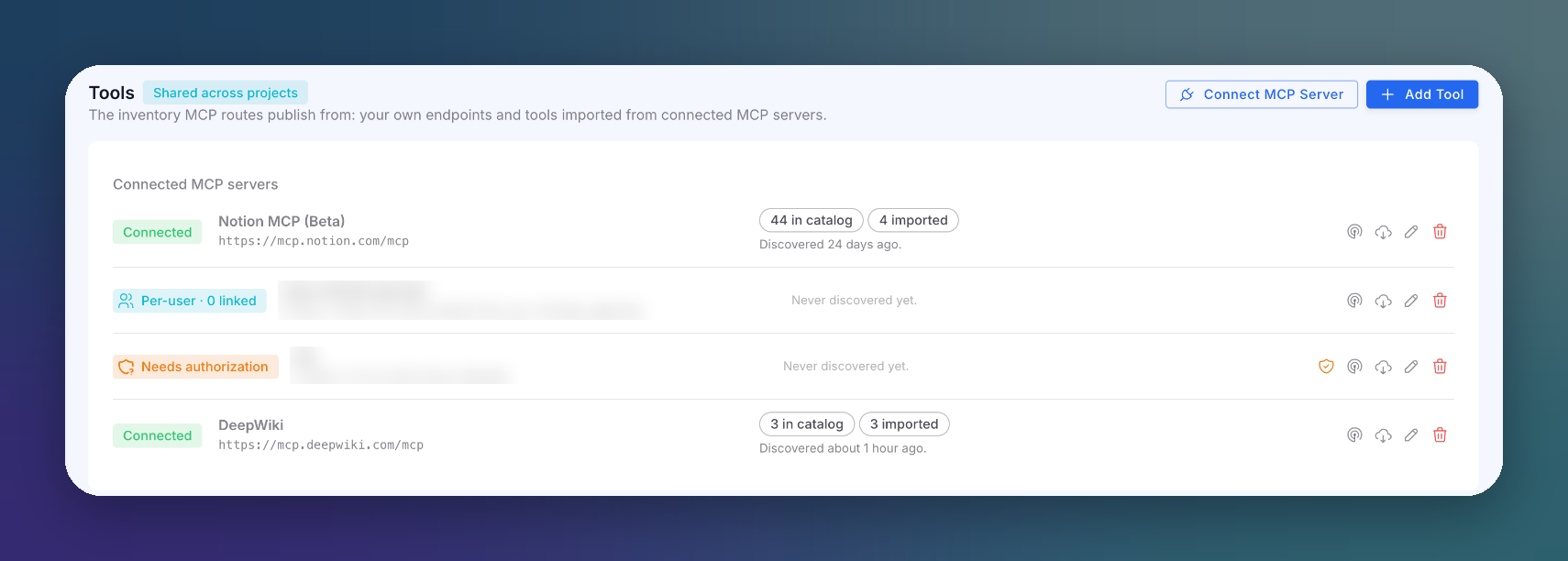 Click to expand
See Connect an MCP Server for the states and actions of each server.
Tool Inventory
Below the servers, the table lists every tool. Filter it with the search box and the All, Own and Imported toggle.
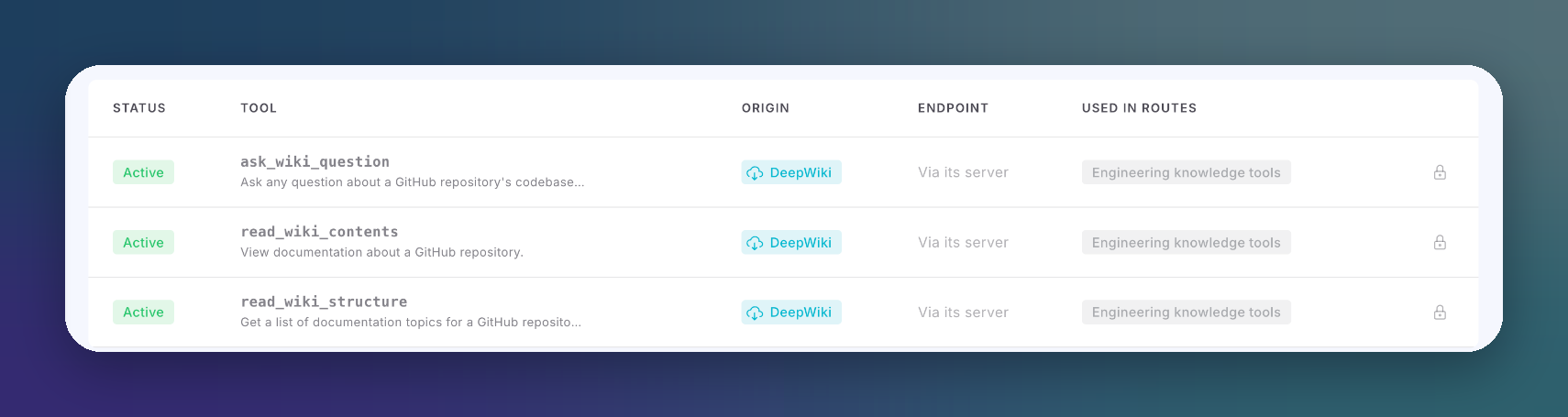 Click to expand
| Column | Description |
|---|---|
| Status | Active (served), Stale (changed upstream, not served until reviewed) or Disabled (switched off, not served) |
| Tool | Tool name and description. Two tools from different servers can share a name |
| Origin | Your own endpoint, or the server it was imported from |
| Endpoint | Where calls go. Imported tools go via its server |
| Used in routes | The MCP routes that publish it |
Own Tools
Click Add Tool to publish a tool backed by your own HTTP endpoint. Its schema is validated when you save. Own tools can be edited and deleted.
Imported Tools and Drift
Imported tools stay tied to their server. They cannot be edited or deleted by hand: editing one would make drift detection compare your edits against the upstream. To update them, run discovery and re-import.
Every discovery compares the server's current catalog with what you imported. When a tool's definition changed, the tool becomes Stale.
A stale tool is out of service
A Stale tool still appears in catalogs, but every call to it is refused until someone reviews the change and clicks Re-import. This protects your agents from a tool whose definition was swapped after you approved it.
If a tool disappears upstream, it comes back automatically when the server serves it again: run discovery instead of recreating it.
Actions
| Action | Effect |
|---|---|
| Run discovery | Fetches the server's catalog and checks imported tools for drift |
| Import | Adds tools from a discovered catalog |
| Re-import | Accepts a changed schema and puts a stale tool back in service |
| Enable / disable | Switches a tool on or off. Disabled tools are not served |
| Delete | Removes an own tool |
Next Steps
MCP Protection
Publish tools on an MCP route
MCP Incidences
See every call to every tool