Connections
Per-user MCP servers act with each person's own account, never with one shared by the organization. Connections is where each person signs in and links their account to those servers, and where operators see who has linked.
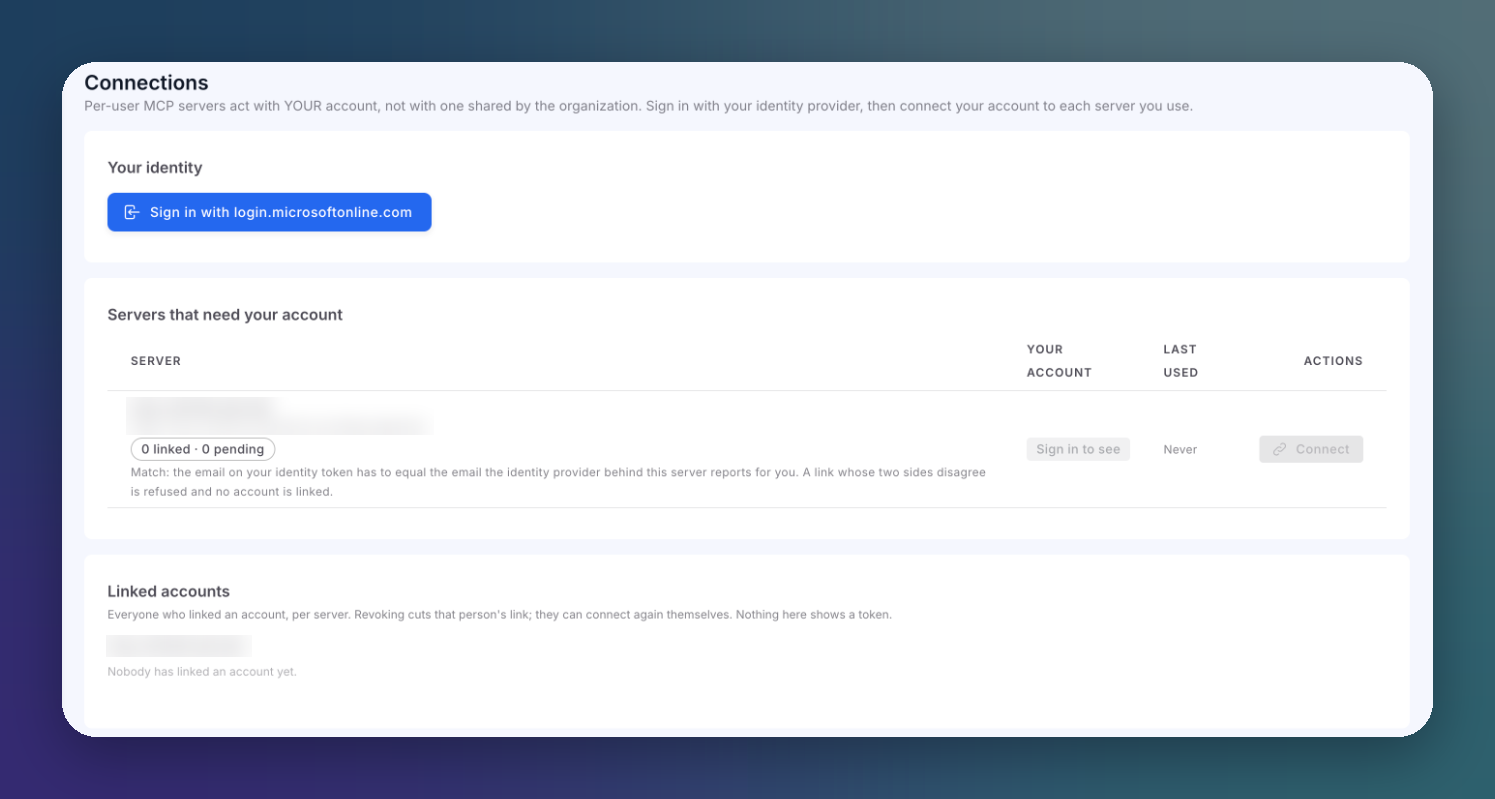
Connections Screen
Open AI runtime → Connections.
 Click to expand
The screen has three parts.
Your Identity
Click Sign in with your identity provider. The sign-in opens in a popup, against the provider configured in Settings. It only identifies you on this screen: Sign out forgets it in this browser tab and changes nothing on the gateway.
Signing in needs the identity provider enabled and a Console client ID in Settings. If either is missing, the screen tells you and links to Settings.
Servers That Need Your Account
Every server connected with Per-user OAuth is listed here.
| Column | Description |
|---|---|
| Server | The server, its URL, and how many people have linked or are pending |
| Your account | Your own state on that server: Connected, Not connected, Pending, Revoked, or Sign in to see before you sign in |
| Last used | When the gateway last used your link. Updated lazily, so a link you just used can briefly read as unused |
| Actions | Connect, reconnect, disconnect or discover |
| Action | Effect |
|---|---|
| Connect / Reconnect | Starts the consent with the server's provider in a popup. The link is stored only if the provider vouches for the same person who signed in |
| Disconnect | Cuts your own link, nothing else |
| Discover as you | Reads the server's catalog with your own link |
The consent link is valid for 60 seconds after you press Connect. If your browser blocks the popup, the screen shows the link to open by hand within that window.
Your identity must match
The email on your identity token has to equal the email the server's identity provider reports for you. A link whose two sides disagree is refused and no account is linked.
When someone calls a tool on a per-user server without having linked their account, the gateway refuses the call and points them to this screen.
On-Behalf-Of Servers
Servers connected with On-behalf-of also act as each caller, but nobody links anything. They are listed in their own card, where a signed-in person can only discover the catalog as themselves.
Linked Accounts
Owners and managers see everyone who has linked an account, per server. Revoke cuts one person's link; they can connect again themselves. No token is ever shown here.
Next Steps
MCP Authentication
Per-user OAuth, on-behalf-of and the other modes
Audit Log
Every link, refusal and revocation