Consumers & Authentication
Every call to a route must carry a credential. Consumers are per-client credentials that only reach the routes you grant them, so you can hand one to a partner, an internal team or a single application without exposing anything else.
Two Kinds of Credentials
| Credential | Prefix | Reaches | Use it for |
|---|---|---|---|
| Consumer credential | gwc_live_ | Only the routes granted to it | Anything you hand to a third party, a team or an individual application |
| Organization gateway key | gw_live_ | Every route in the organization | Your own backend |
Both are sent the same way:
Authorization: Bearer YOUR_CREDENTIALAuthorization: Bearer YOUR_CREDENTIALThe organization gateway key is created automatically and managed in Settings. Because it is not scoped to any route, it never appears in a route's list of who can call it.
Provider keys stay in the gateway
Clients authenticate to ByteHide, never to the model provider. The provider key lives in the integration, encrypted, and the gateway uses it when it forwards the request.
MCP routes can also authenticate callers with tokens from your own identity provider. See MCP Authentication.
Consumers List
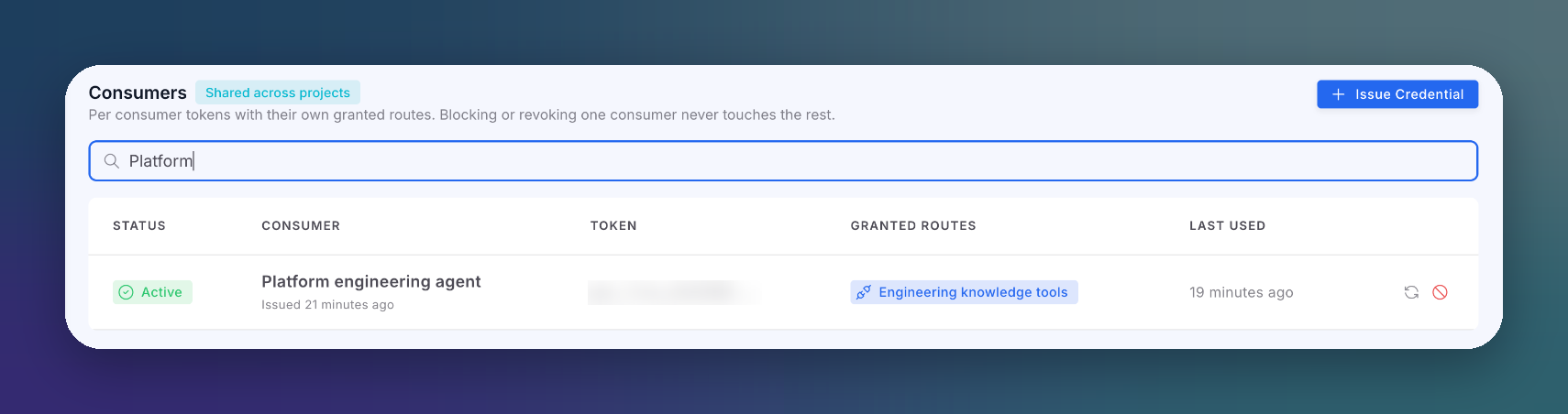
Open AI runtime → Consumers.
 Click to expand
| Column | Description |
|---|---|
| Status | Active, Revoked (permanent) or Blocked (by the Firewall; lift it there) |
| Consumer | Consumer name and when the credential was issued |
| Token | Only the display prefix. The full token is shown once, when it is issued |
| Granted routes | The routes this credential can call. Any other route answers 403 |
| Last used | When the credential was last used. Updated about once a minute, so a token you just used can still read as unused |
Rows group by consumer name, so during a rotation you can tell the new credential from the old one.
Issue a Credential
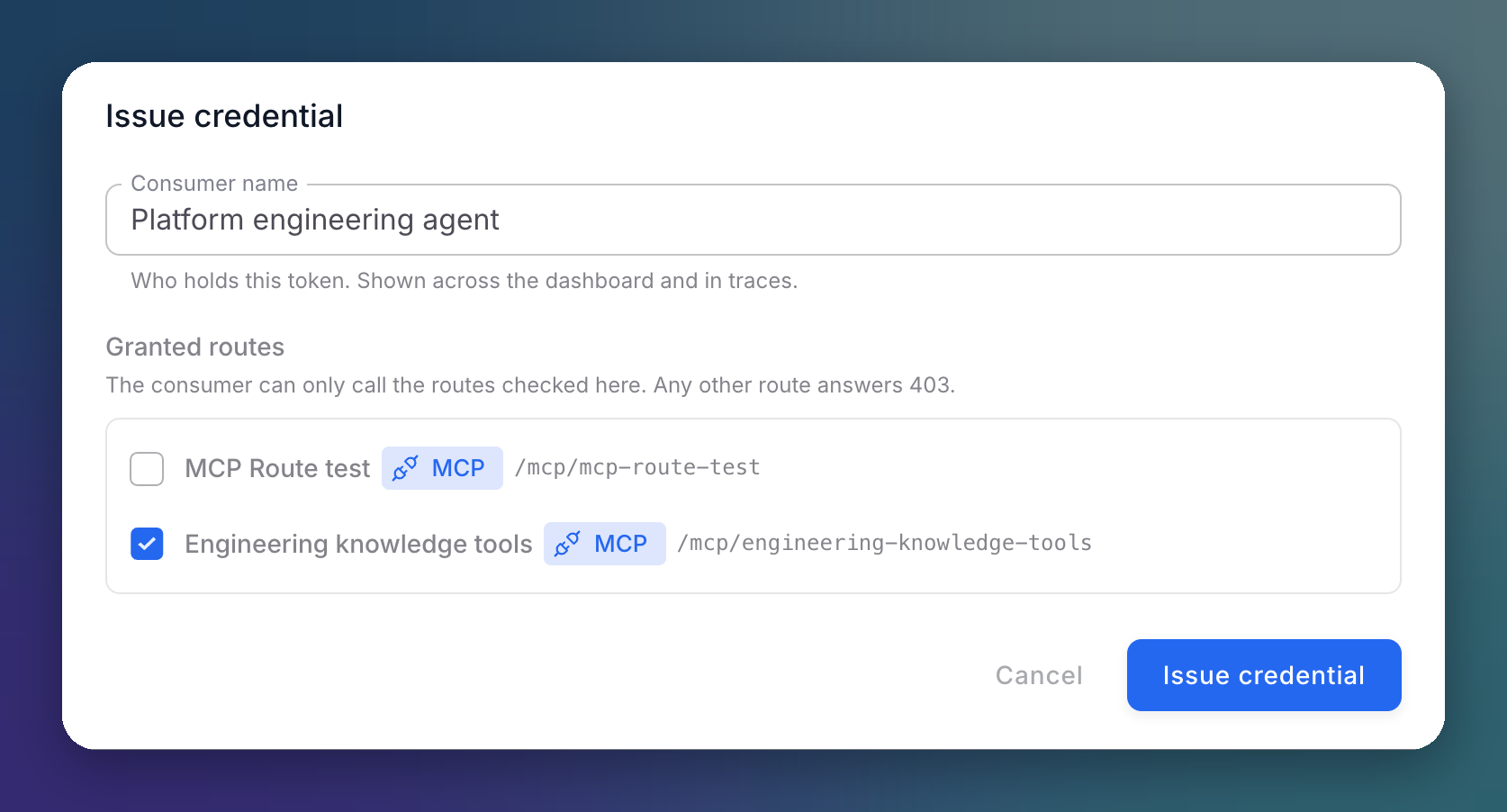
- Click Issue Credential.
- Enter the Consumer name: who holds this token. It is shown across the console and in every trace.
- Check the Granted routes.
- Click Issue credential.
 Click to expand
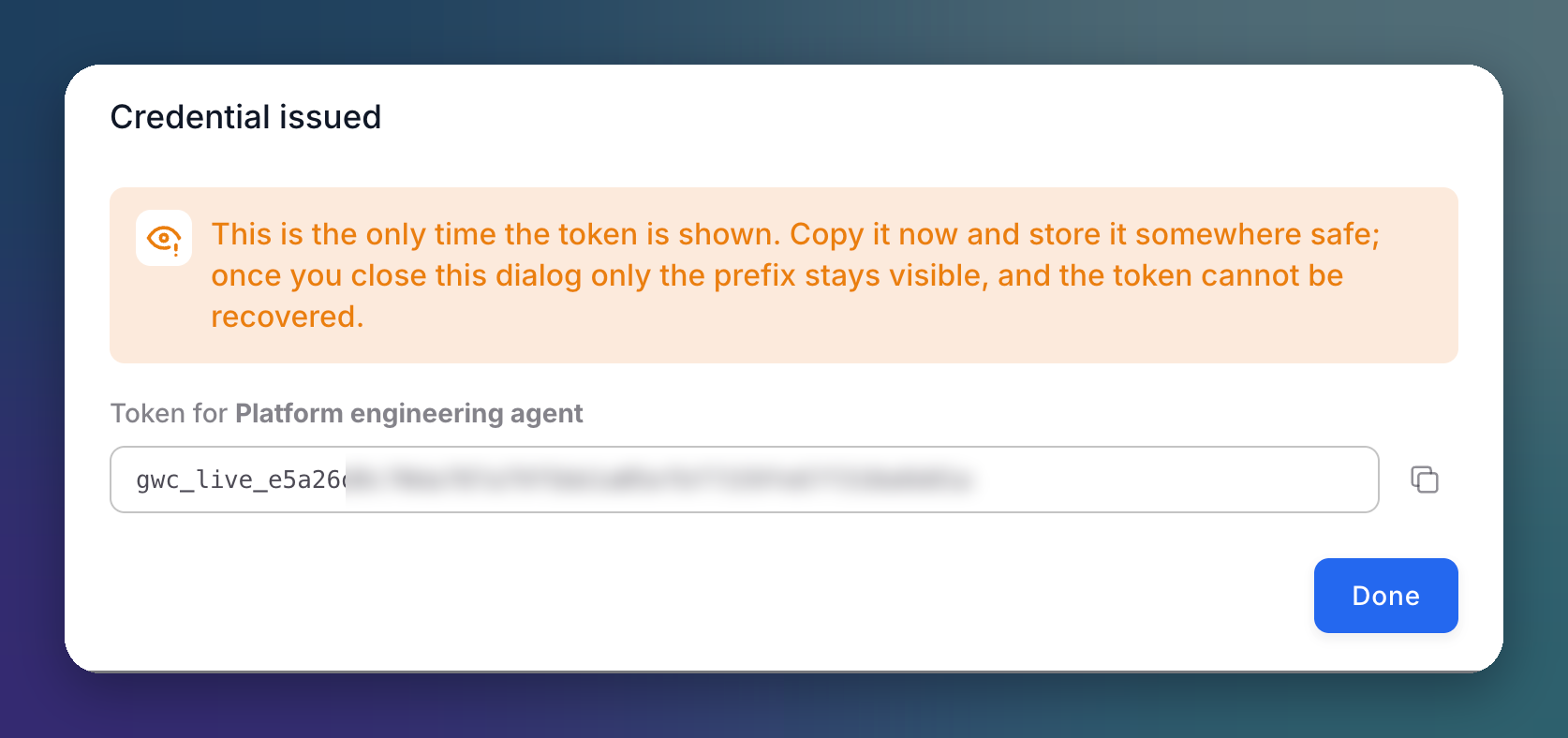
The token is displayed once. Copy it and store it somewhere safe: after you close the dialog only the prefix stays visible, and the token cannot be recovered.
 Click to expand
Rotate and Revoke
| Action | Effect |
|---|---|
| Rotate | Issues a new token for the same consumer. The old token keeps working until you revoke it, so you can swap clients over without downtime |
| Revoke | Permanently disables the token. There is no undo; issue a new credential instead |
Two active credentials during a rotation is expected
After Rotate, the consumer has two active tokens on purpose. Revoke the old one only after every client uses the new one: revoking the wrong one cuts the consumer off.
Consumers in Incidences
Every incidence records the consumer that sent the request. In Incidences, filter by consumer to see one client's traffic. The filter uses the credential ID (gwc_...), not the display name, so renaming a consumer never breaks a saved filter.
Next Steps
Gateway Mode
Call a route from your SDK with a consumer credential
Firewall
Block a consumer, IP or country outright