Audit Log
The audit log records every change to your AI Runtime configuration, with who made it and what changed. It is read-only: the gateway writes each event as part of the change itself, and nobody can edit or delete it from the console, which is what makes it trustworthy evidence.
Audit Log Screen
Open AI runtime → Audit log.
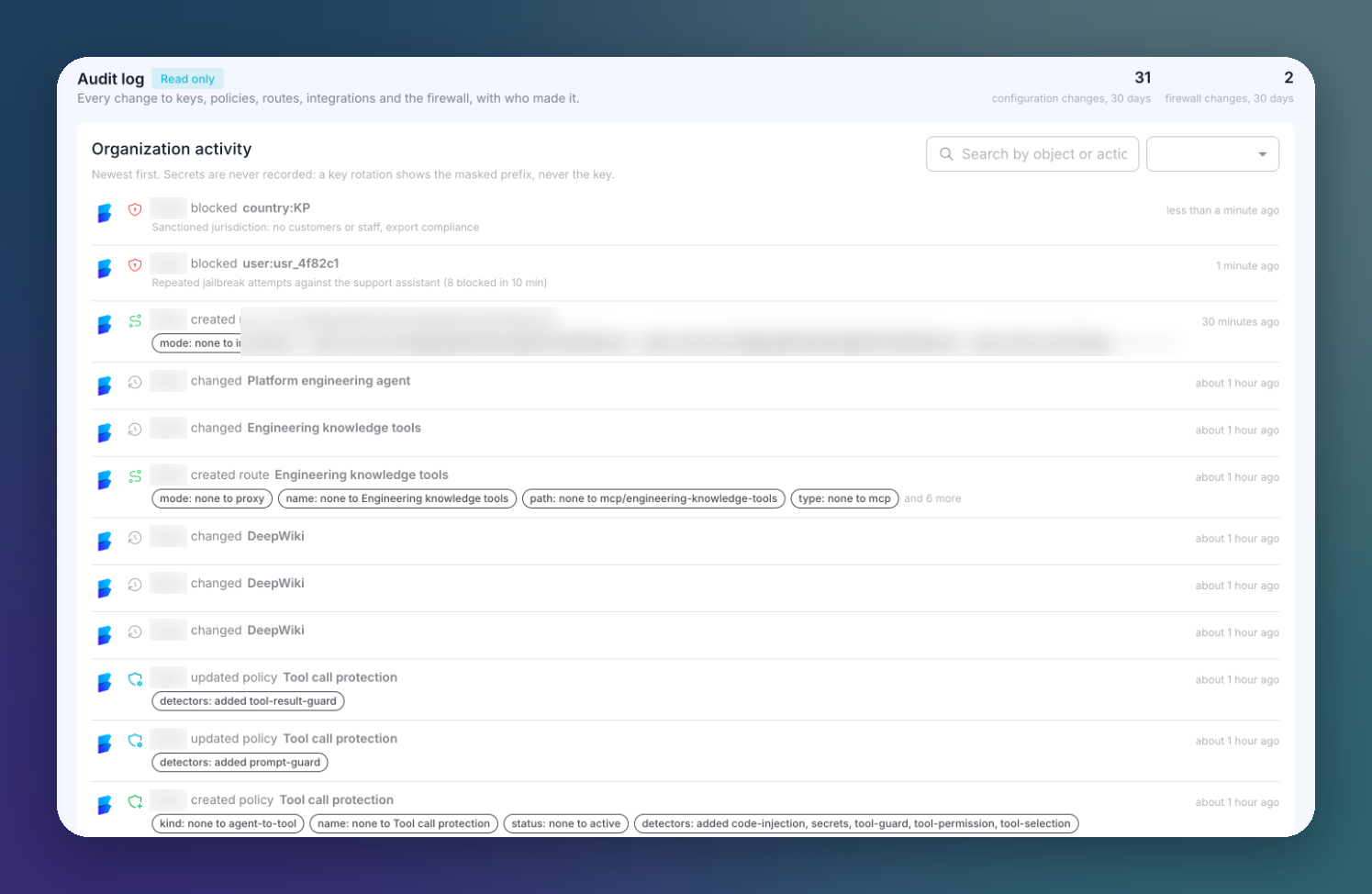 Click to expand
The header counts the configuration changes and firewall changes of the last 30 days. Organization activity lists the events, newest first.
Each event shows:
- Who made the change.
- What happened: created, updated, deleted, blocked, unblocked...
- The object: a route, a policy, a consumer, a firewall value...
- What changed, as chips. For example
detectors: added tool-result-guard, ortype: none to mcpfor a new route. - When.
Search by object or action, and filter by event family.
Secrets are never recorded
A key rotation shows the masked prefix, never the key. Provider credentials are never written to the log.
What Is Recorded
| Area | Events |
|---|---|
| Keys | Gateway key regenerations |
| Policies | Created, updated (each detector added, removed or changed), deleted |
| Routes | Created, updated and deleted, including the routes in-app mode creates for App runtime projects |
| Integrations | Created, updated, deleted |
| MCP servers and tools | Connections, discoveries, imports and changes |
| Consumers | Credentials issued, rotated and revoked |
| Firewall | Blocks and unblocks, manual and automatic |
| MCP user links | Accounts linked, revoked, and links refused because the identity did not match |
Watch for Refused a link (identity did not match) under MCP user links: it is what an attempt to link somebody else's account to a per-user MCP server leaves behind.
Actor Names
The gateway stores who made each change by ID, and the console resolves the name from your organization's members. An actor shown as Platform user followed by an ID is a member the console could not resolve, for example someone who has left the organization. It is not an anonymous change.