Policies
Agentic Runtime policies decide what the agent does with each kind of detection: observe it, mask it or block it. You set them for the whole organization and refine them for teams, members and devices.
Policy Cascade
Organization → Team → Member → DeviceOrganization → Team → Member → Device| Scope | Screen | Use it for |
|---|---|---|
| Organization | Organization | The default rules applied to every device |
| Team | Teams | Rules for a whole team at once, such as stricter blocking for juniors or enforce-always for compliance |
| Member | Users | Exceptions for one person |
| Device | Devices | Exceptions for one machine |
A more specific scope overrides the broader one. When a member is in several teams, the strictest policy wins on each axis.
Each device shows its effective policy and where every setting comes from, so you can always see why something was blocked or allowed.
Configure Detections
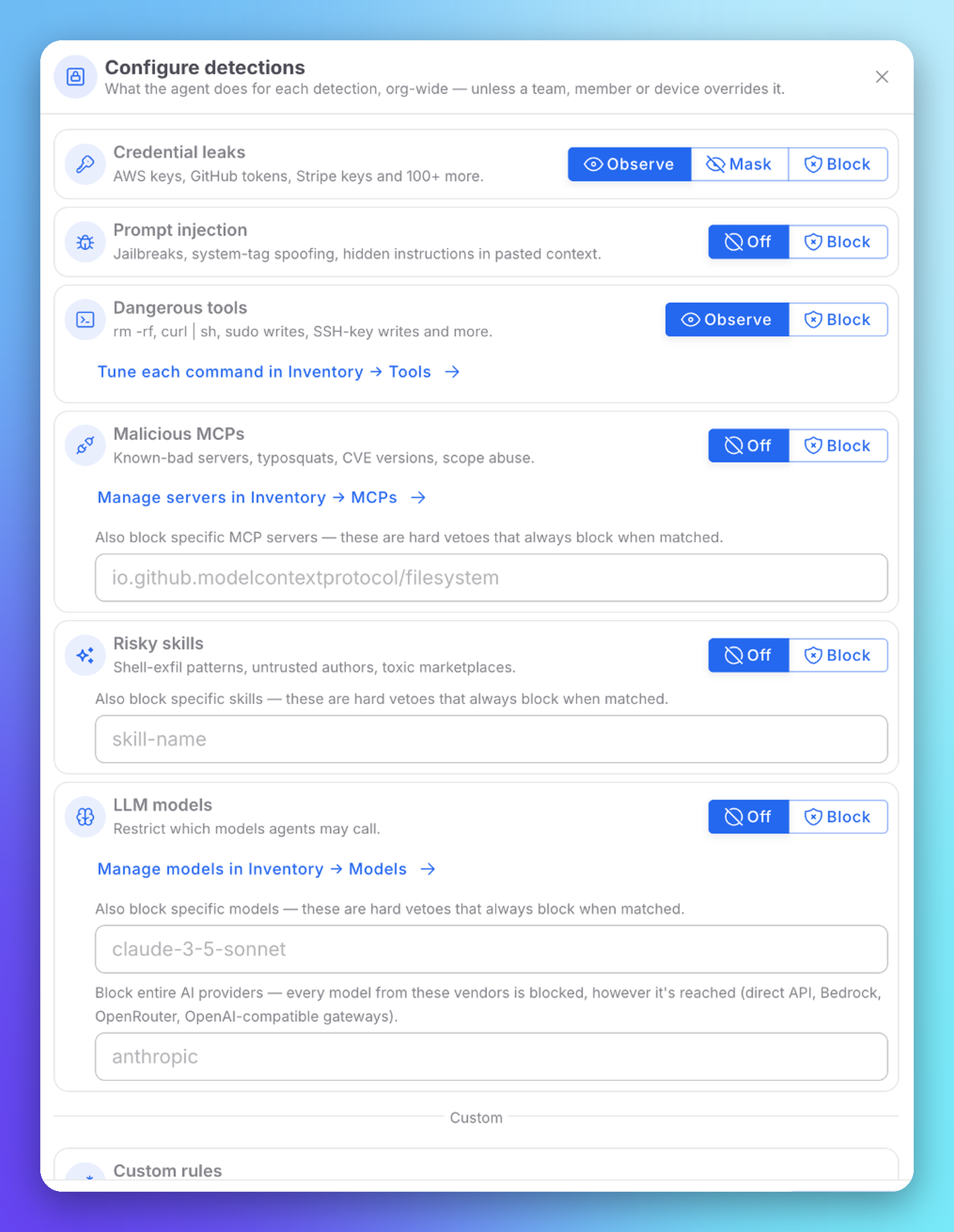
Open Agentic runtime → Organization and click New rule, or edit a team, member or device policy.
 Click to expand
| Detection | Modes | Extra settings |
|---|---|---|
| Credential leaks | Observe, Mask, Block | — |
| Prompt injection | Off, Block | — |
| Dangerous tools | Observe, Block | Tune each command in Inventory → Tools |
| Malicious MCPs | Off, Block | Block specific MCP servers by name. Manage servers in Inventory → MCPs |
| Risky skills | Off, Block | Block specific skills by name |
| LLM models | Off, Block | Block specific models, or entire AI providers however they are reached (direct API, Bedrock, OpenRouter, OpenAI-compatible gateways) |
Names you add to a block list are hard vetoes: they always block when matched, whatever the mode.
Presets
| Preset | Behavior |
|---|---|
| Strict | Blocks every detection family. A good baseline for junior developers |
| Standard | A balance of blocking and observing |
| Relaxed | Observes only: logs, never blocks. A good baseline for senior developers |
Configure by Voice
Click Configure with AI, or Start conversation on the voice banner, and describe what you want in your own words. The assistant drafts a policy proposal; you review it and apply it or discard it. Nothing changes automatically.
Custom Rules
Agentic runtime → Custom Rules adds your own detection patterns, run alongside the built-in catalog (AWS, GitHub and Stripe keys, prompt injections...). Custom rules are additive: the built-in catalog keeps running.
Patterns use RE2 syntax: matching runs in linear time with no risk of catastrophic backtracking, but lookarounds and backreferences are not supported.
Repository Path Rules
Agentic runtime → Repo lists every git repository a device in your fleet has worked in. Add path-deny rules per scope (organization, team, member or device): the agent blocks any read, edit, write, glob or grep tool call against a denied path before the file content reaches the model.
Developers can also commit a .aiblock file at the repository root. Its rules merge with the ones you set in the console, and the agent discovers it on its next start.
Next Steps
Inventory
MCP servers, skills, tools and models
Incidences & Audit
What the policies caught, and who changed them