Devices & Members
Every machine running the Agentic Runtime agent appears in Devices, grouped by the member who owns it and the teams they belong to. From here you see the fleet's health and apply policies to one device, one person or one team.
Devices
Open Agentic runtime → Devices.
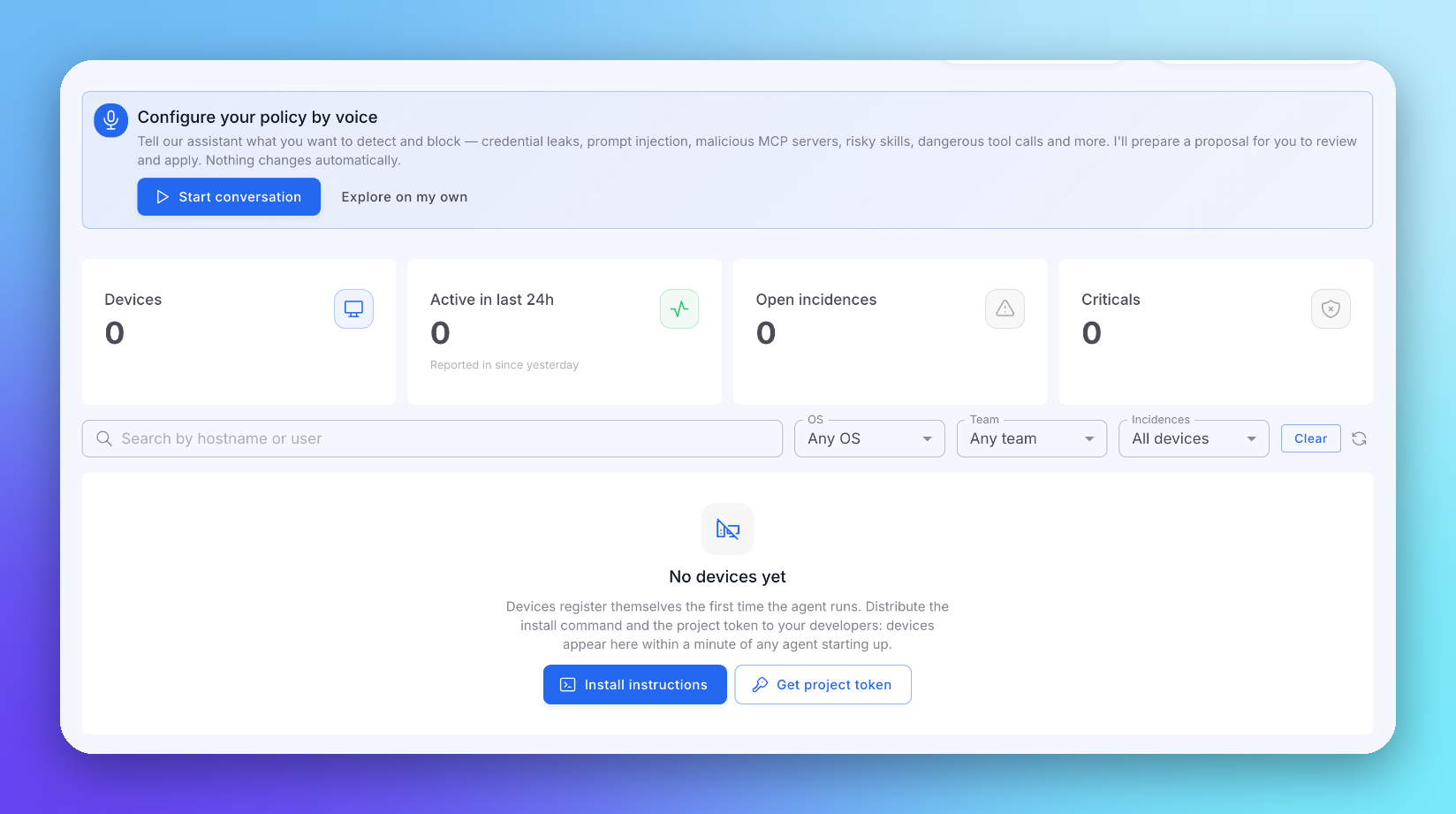 Click to expand
| Card | Description |
|---|---|
| Devices | Devices registered in your organization |
| Active in last 24h | Devices that reported since yesterday |
| Open incidences | Incidences not yet resolved |
| Criticals | Critical incidences |
Search by hostname or user, and filter by OS, Team and Incidences.
Devices register themselves the first time the agent runs: there is nothing to add by hand. See Install the Agent.
Device Detail
Click a device to open it. The detail shows the device's hardware, the repositories it worked in, its incidences, and its effective policy with the scope every setting comes from (organization, team, member or device). Set a device-level policy from here to override the inherited one for that machine only.
Remove a device, or several at once, when a machine is retired.
Members
Agentic runtime → Users lists the members of your organization with their devices. Open a member to see all their devices and set a member-level policy that applies to every one of them.
Teams
Agentic runtime → Teams lists your organization's teams, with their members and their policy (Org default until you set one). A team policy applies to every member in one go.
When a member belongs to several teams, the strictest policy wins on each axis.
Next Steps
Policies
How the cascade decides
Incidences & Audit
What each device caught