Attackers
Attackers groups the traffic AI Runtime inspected by origin and ranks each origin by the risk it has accumulated. It shows who is hitting your models and tools, and which origins the gateway has already banned on its own.
Attackers Screen
Open AI runtime → Attackers.
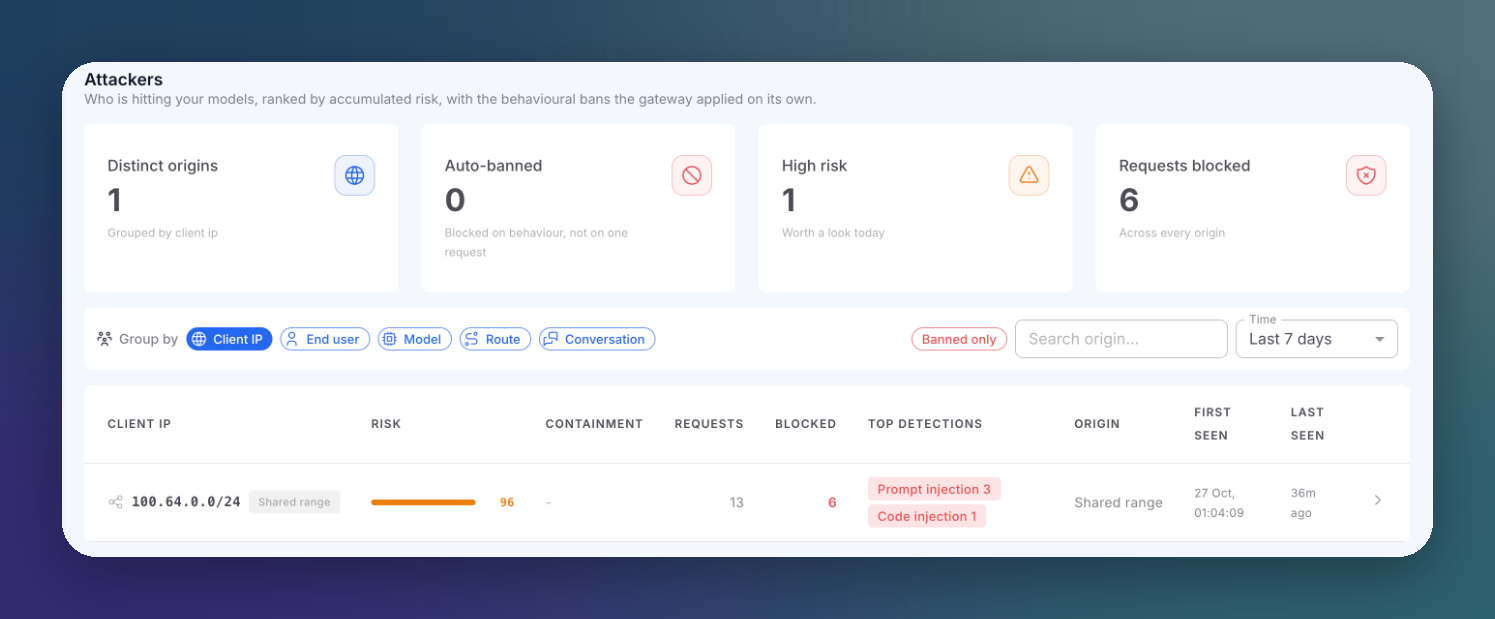 Click to expand
Summary Cards
| Card | Description |
|---|---|
| Distinct origins | How many origins sent traffic, for the current grouping |
| Auto-banned | Origins blocked on behavior, not on a single request |
| High risk | Origins worth a look today |
| Requests blocked | Blocked requests across every origin |
Group By
Choose how origins are grouped: Client IP, End user, Model, Route or Conversation. Use Banned only to show only banned or throttled origins, the search box to find one origin, and Time to change the window.
Grouping by End user and Conversation needs your application to send the x-user-id and x-conversation-id headers. Grouping by Client IP is only meaningful when the gateway sees your end users' addresses: send them in x-user-ip when your backend calls the gateway. See Optional Headers.
Attackers Table
| Column | Description |
|---|---|
| Origin (Client IP, End user...) | The grouped value |
| Risk | Accumulated risk score |
| Containment | Automatic ban or throttle state of this origin |
| Requests | Requests in the window |
| Blocked | Blocked requests in the window |
| Top detections | The most frequent detections from this origin |
| Origin | Country or network, when known |
| First seen / Last seen | First and latest activity |
Click a row to open the attacker drawer, with its address intelligence and recent activity.
Read risk together with detections
An origin here is any source that tripped detectors, which can include a legitimate user or one of your own services. Check the top detections before you block it.
Automatic Bans
The gateway bans or throttles origins whose behavior crosses a risk threshold, without anyone acting. Automatic bans show in the Containment column here and appear in the Firewall marked as automatic. Lift them there like any other entry.
Investigate One Attacker
The Attackers screen does not take filters from the URL. To see every request of one origin, open Incidences and filter by Client IP or End user.