Routes
A route is the URL your clients call. Each route forwards traffic to a target, applies one policy to every request and response, and keeps its own incidences, limits and access rules.
Routes List
Open AI runtime → Routes. Routes are shared across all projects in the organization.
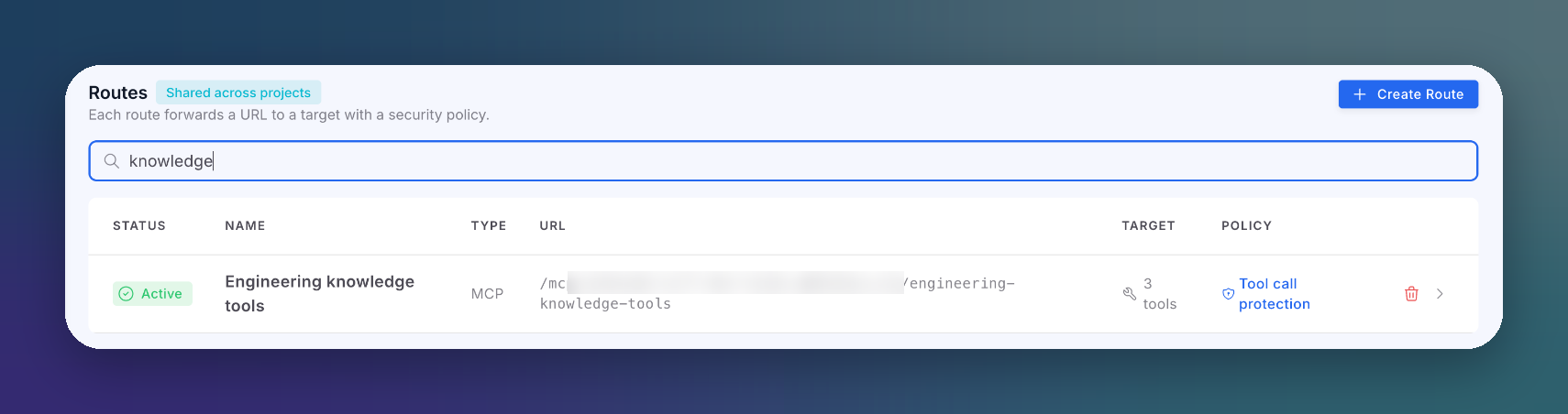 Click to expand
| Column | Description |
|---|---|
| Status | Serving state. A paused route turns traffic away; the tooltip explains the consequence |
| Name | Route name |
| Type | User-Facing, Agent-to-Tool or MCP |
| URL | For LLM routes, /{path} under your gateway base URL. For MCP routes, /mcp/{orgId}/{slug} |
| Target | For LLM routes, the provider and model. For MCP routes, how many tools it publishes |
| Policy | The attached policy, or an Unprotected chip when there is none |
The list hides internal routes: the Playground sandbox route and the routes that in-app mode manages for App runtime projects.
Route Types
| Type | Who calls it | What the gateway inspects |
|---|---|---|
| User-Facing | Your application, on behalf of its end users | What people type and what the model answers |
| Agent-to-Tool | Your own agent, calling its tools over HTTP through the gateway | Each tool call and result in transit |
| MCP | Any MCP client (an IDE agent, a partner, your own agent) | Every MCP request: tools/list, tools/call and their results. The gateway becomes the MCP server and publishes only the tools you grant |
The route type decides which policies you can attach: User-Facing routes take User-Facing policies; Agent-to-Tool and MCP routes take Agent-to-Tool policies. MCP routes are covered in MCP Protection.
Create a Route
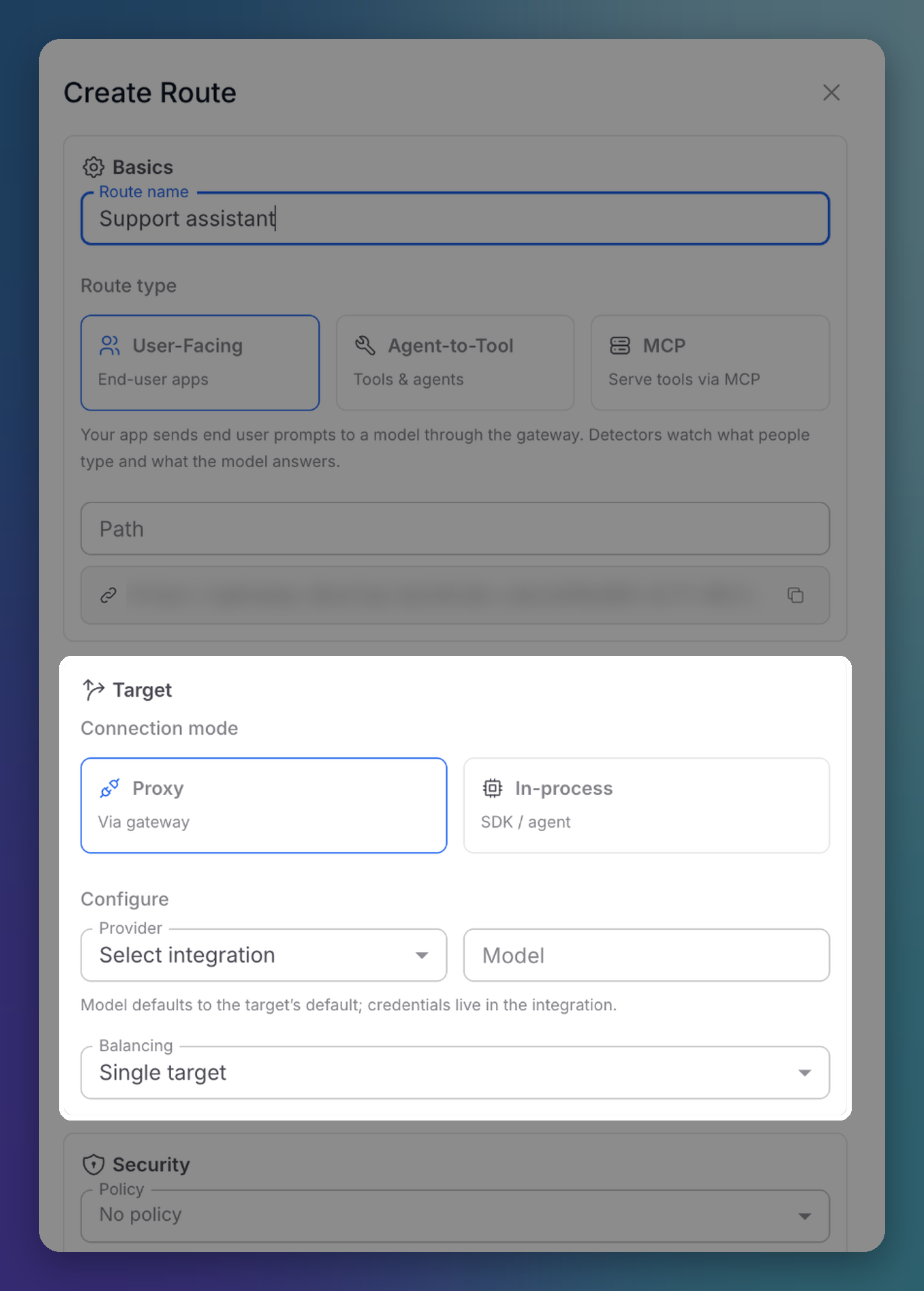
Click Create Route. The creation form opens as a drawer on the Routes list.
 Click to expand
Basics
| Field | Description |
|---|---|
| Route name | A descriptive name |
| Route type | User-Facing, Agent-to-Tool or MCP |
| Path | The path segment of the route URL. The final URL is shown below it and confirmed when the route is created |
Target
| Connection mode | Behavior |
|---|---|
| Proxy (via gateway) | Clients call the route URL and the gateway forwards to the target. Pick the Provider (an integration) and optionally a Model; otherwise the integration's default model is used. Credentials live in the integration, never in the client |
| In-process (SDK / agent) | Your application keeps calling its own provider. The ByteHide SDK running inside it intercepts its model calls, input and output, and reports them to this route. No provider or model is configured here. See In-app Mode |
Balancing decides what happens with more than one target:
| Option | Behavior |
|---|---|
| Single target | All traffic goes to one target |
| Load balancing | Traffic is spread across the targets with a strategy: Round robin, Weighted or Least connections |
| Failover | Extra targets are tried in order when the primary fails |
Security
Pick the Policy for this route. If you leave it on No policy, the drawer warns you: the route will forward traffic without inspecting it.
Advanced
| Field | Description |
|---|---|
| Timeout (ms) | How long the gateway waits for the target |
| Rate (req/min) | Requests per minute for the whole route |
| Consumer rate (req/min) | Requests per minute for each consumer credential. Charged before the route rate, so one consumer retrying in a loop cannot use up the minute for everyone else |
| Cache | Off, Exact match or Semantic: answer repeated prompts from a cache instead of the provider |
| Streaming output guard | Buffered (default): the full answer is masked and checked before it is sent, with no real-time stream. Streaming: tokens flow in real time, and the stream is cut if a violation appears |
| On block | Reject (403 + error) (default), or Reply as assistant message (200): the client receives the block as the assistant's answer. With the second option, choose the Block language and message |
Privacy
Choose whether the actual content is stored in incidences. The verdict and the detections are always recorded; only the text is optional.
| Option | Stores |
|---|---|
| Store request content | The prompt, or the tool call arguments |
| Store response content | The model answer, or what the tool returned |
Route Detail
Click a route to open it. The header shows its name, type and status, with Pause / Resume and Duplicate. LLM routes also have a Setup button with the route URL and ready-made code snippets.
The detail has two tabs:
- Configuration: the same fields as the creation drawer. Edits save automatically shortly after you stop typing.
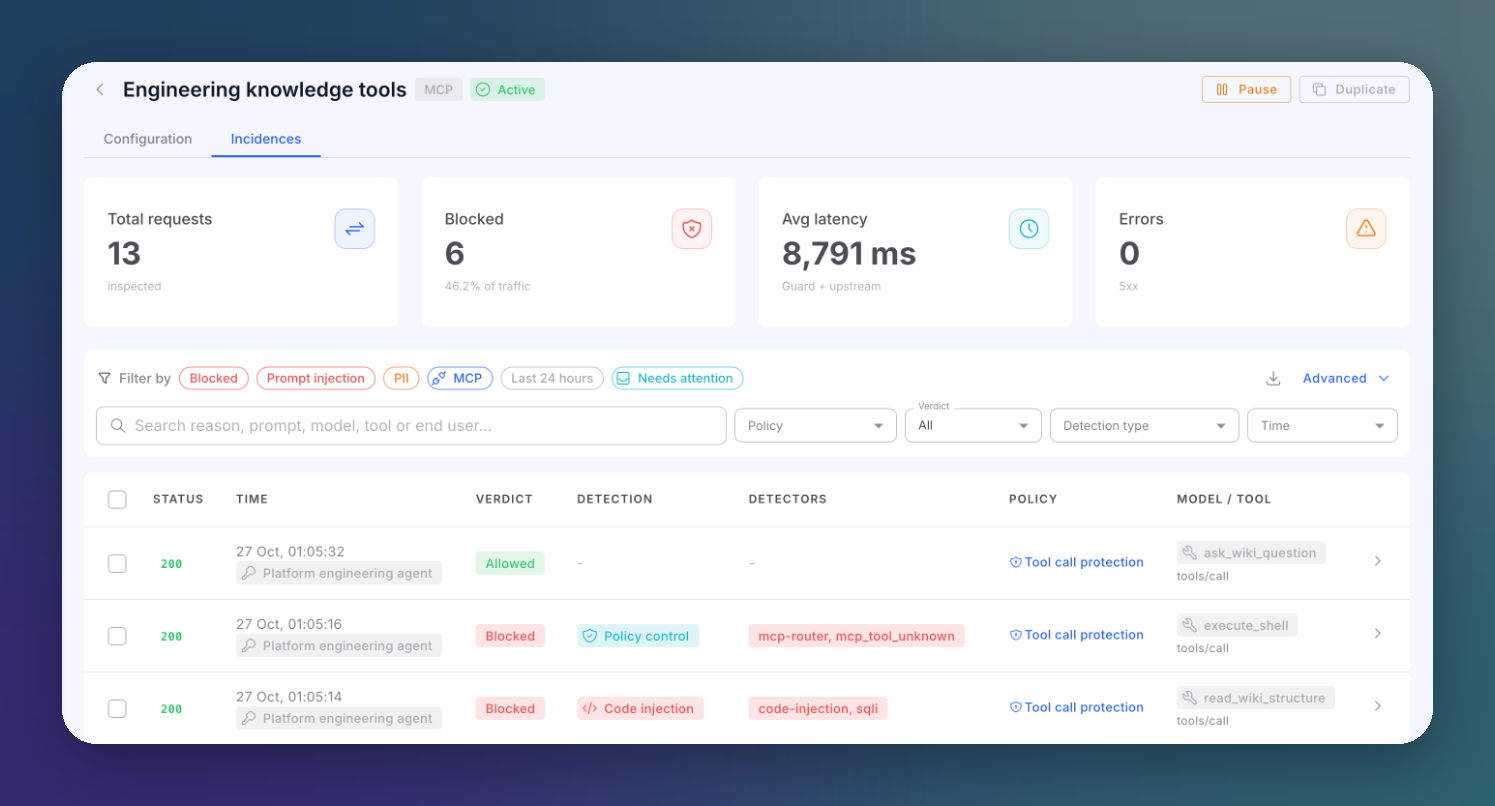
- Incidences: the traffic of this route only, with its own KPIs.
 Click to expand
| Card | Description |
|---|---|
| Total requests | Requests inspected on this route |
| Blocked | Blocked requests and their share of the traffic |
| Avg latency | Guard plus upstream time |
| Errors | Responses with a 5xx status |
The table works like the main Incidences screen, pre-filtered to this route.
Danger Zone
Delete route removes the route and its URL. You confirm by typing the route name. This cannot be undone.
Renaming an MCP route changes its URL
The URL of an MCP route is derived from its name. Renaming it changes the published URL, and connected MCP clients stop working until they are updated.
Next Steps
Consumers & Authentication
Issue credentials scoped to this route
Gateway Mode
Point your SDK at the route URL